
Yes, website forms can be HIPAA compliant, but only inside a governed program with a signed Business Associate Agreement and documented technical safeguards. If you're collecting patient data online right now without one, stop and check three things today: is there a signed BAA with your form vendor, does the form enforce TLS in transit and AES-256 encryption at rest, and are your notification emails free of any actual patient data.
TL;DR:
- A HIPAA-compliant form requires a signed Business Associate Agreement specific to the form provider, not just general platform agreements, to be legally protected.
- Technical safeguards include encryption during data transmission via TLS 1.2 or higher and AES-256 at rest, along with audit logs that record access and changes with export capability.
- Regular audits must verify BAA validity, test encryption and log functions, and review access controls, ideally quarterly or annually, to maintain compliance over time.
- Identity verification for patients must involve layered methods beyond MFA, like knowledge-based questions or portal-based account binding, to confirm real user identity.
- Vendor management involves assessing subcontractor obligations, signing current BAAs, and annually reevaluating practices whenever vendor changes occur.
Table of Contents
- What Makes a Form HIPAA Compliant?
- How Do You Roll Out HIPAA-Compliant Forms Step by Step?
- What Technical Controls Should You Require From a Form Builder?
- How Do You Vet a Vendor Before Signing?
- How Often Should You Audit HIPAA Form Compliance?
- Beyond MFA: How Do You Verify Who's Really Submitting a Form?
- How Do the Privacy Rule and Security Rule Actually Apply to Forms?
- Why Staff Training Determines Whether Your Forms Stay Compliant
- How Do You Manage Vendor Risk for Form Processing?
- When Should a Practice Bring in a HIPAA-Aware Web Partner?
- Get Your Practice's Forms Audit-Ready
- Sources
What Makes a Form HIPAA Compliant?
A form isn't compliant because it looks secure or has a padlock icon in the browser bar. It's compliant because a legal contract and a stack of technical controls back it up, and both pieces have to exist before the first patient submission.
The Business Associate Agreement is the legal pivot point. Any vendor that stores, transmits, or processes protected health information on your behalf is a business associate under HIPAA, and without a signed BAA, using that vendor is a violation regardless of how good its encryption looks on a spec sheet. A lot of providers assume that a tool advertising "bank-level encryption" is automatically safe to use. It isn't, unless the company behind it will put its name on a BAA.
Once the contract is in place, the Security Rule dictates what the form itself has to do: encrypt data moving between the browser and the server, verify that whoever is submitting or viewing data is actually who they claim to be, protect the data from being altered without a record of the change, and log every access event. The Privacy Rule layers on top of that with a different question: does this field actually need to be here? Collecting a Social Security number on an intake form when you only need date of birth and insurance ID violates the "minimum necessary" standard even if the form is otherwise locked down tight.
Before you sign with any vendor, ask for these in writing:
- A signed BAA specific to the form/intake product, not a generic platform-wide agreement
- SOC 2 Type II or HITRUST certification documentation
- A documented risk analysis mapped to the Security Rule's technical safeguards
- Evidence of encryption standards and audit log capability
How Do You Roll Out HIPAA-Compliant Forms Step by Step?
Deploying secure medical forms isn't a single settings toggle. It's a sequence, and skipping steps is how practices end up with PHI sitting in an unsecured inbox for months before anyone notices.
- Inventory every form that touches PHI. Intake forms, appointment requests, symptom checkers, insurance verification. Apply the minimum necessary principle to each one and cut any field that isn't clinically or administratively required.
- Review the contract before you review the software. Confirm the BAA is signed, check that subcontractor clauses extend obligations to any sub-processors the vendor uses, and pin down the breach notification timeline in writing.
- Lock down configuration before launch. Disable any setting that emails raw form responses to staff inboxes, turn on audit logging, and set retention periods with automatic purge dates instead of indefinite storage.
- Wire up integrations carefully. If the form feeds an EHR or practice management system, use secure API patterns and make sure PHI never ends up in a URL parameter or a server log file, which is a surprisingly common leak point.
- Test before real patients touch it. Run a vulnerability scan, do a basic penetration test if budget allows, and train front-desk and clinical staff on what they're now responsible for.
Pro Tip: Run a test submission through your own form, then check your practice's email inbox. If you can read a patient's actual answers sitting in that email, your configuration is broken. It should only ever show a link to a secure portal.
What Technical Controls Should You Require From a Form Builder?
This is the section to hand your IT contractor or MSP before any vendor demo. Vague promises about "compliance" mean nothing without these specifics on the table.
- Encryption: TLS 1.2 or higher in transit, AES-256 at rest, with documented key rotation and key storage practices rather than hardcoded keys sitting in application code.
- Audit trails: Immutable, exportable logs capturing who accessed or changed a record, the timestamp, the IP address, and the specific action taken. If a vendor can't export logs on request, that's disqualifying.
- Access control: Unique user IDs for every staff member, role-based access so front-desk staff can't see clinical notes they don't need, SSO via SAML or OIDC where possible, multi-factor authentication, and session timeouts that log users out after inactivity.
- Secure uploads: File-type restrictions, size caps, and malware scanning on any attachment field, since intake forms increasingly ask patients to upload insurance cards or ID photos.
- Backups and disaster recovery: Encrypted backups with tested, verified recovery, plus retention settings that support legal hold when litigation or an OCR inquiry requires it.
- APIs and integrations: OAuth2 with scoped tokens, no PHI embedded in query strings, and webhook endpoints secured against replay attacks.
One detail administrators consistently miss: comprehensive HIPAA-compliant form requirements call for configurable retention and auto-purge, not just encryption. A form that encrypts data perfectly but keeps it forever past its useful life is still a growing liability.
How Do You Vet a Vendor Before Signing?
Contract review comes before feature comparison, every time. Ask for a BAA draft on the first call, not after you've already picked a favorite based on the interface.
The essentials to confirm in that BAA: scope of what data the vendor can touch, whether subcontractor obligations flow through to any third parties they use, breach notification timelines spelled out in days (not "promptly"), and clear terms for returning or destroying PHI if you ever switch vendors. Beyond the contract, request SOC 2 Type II or HITRUST reports, a recent penetration-test summary, and their documented risk analysis.
Red flags that should end the conversation immediately: refusal to sign a BAA, any default behavior that emails raw PHI, or no audit log export function at all. During the demo, ask directly about data residency, who on their team has admin-level access to your data, and what their incident response procedure looks like on paper, not in theory.
How Often Should You Audit HIPAA Form Compliance?
Compliance isn't a launch event. It's a maintenance habit, and OCR audits don't care how good your setup looked on day one.
- Before launch: Confirm the BAA is fully executed, verify notification emails carry no PHI, and test encryption and log capture directly.
- Quarterly: Run access reviews to catch former employees or contractors who still have login credentials, sample a batch of audit logs for gaps, and confirm backup restores actually work.
- Annually at minimum: Run a vulnerability scan and revisit your risk analysis, since new integrations or staff changes shift your exposure.
- Ongoing: Keep policies, risk analyses, and compliance evidence on file for six years, which is the HIPAA documentation retention standard.
Pro Tip: Run a tabletop breach notification drill once a year. Time how long it actually takes your team to identify, contain, and notify. If it takes longer than your BAA's stated timeline, you have a real gap, not just a paperwork one.
Beyond MFA: How Do You Verify Who's Really Submitting a Form?
Multi-factor authentication solves half the identity problem, the half where a hacker has stolen a password. It doesn't solve the other half, which is confirming the person filling out an intake form is actually the patient they claim to be.
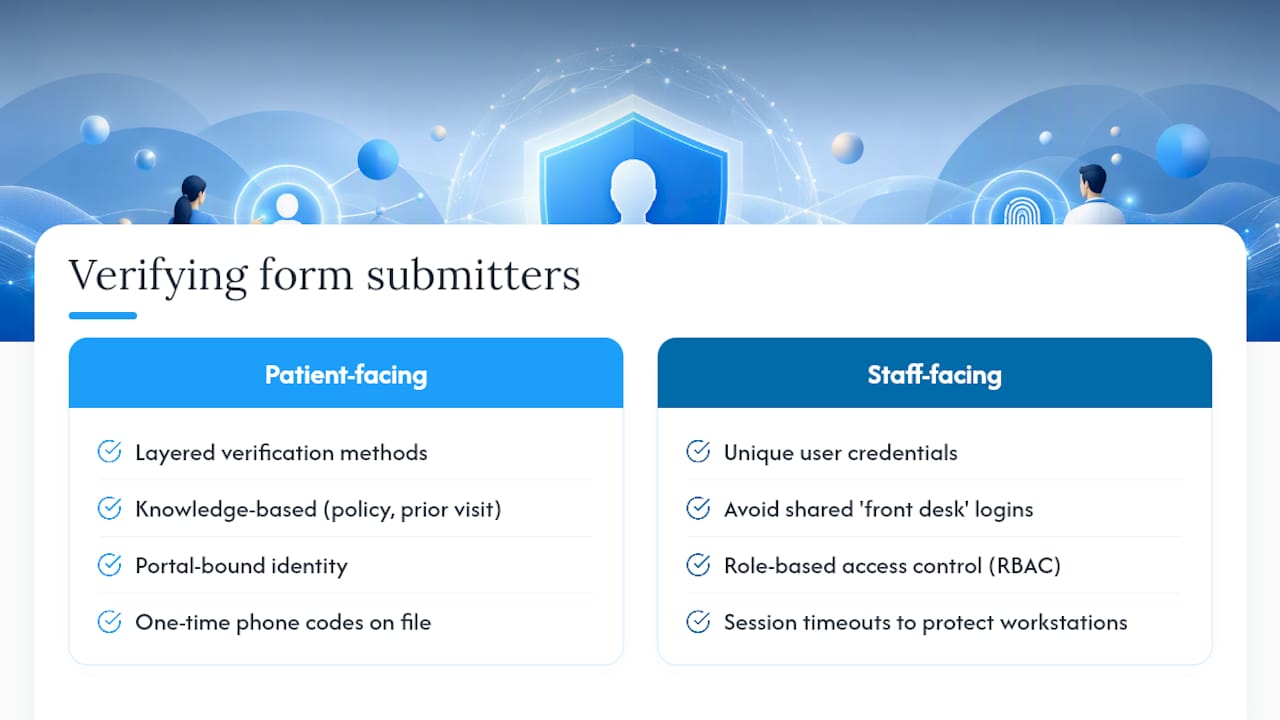
For patient-facing forms, identity verification usually layers a few methods together. Knowledge-based verification asks for something only the real patient would know, like a policy number tied to their insurance or a prior visit date. Portal-based identity binding ties form access to a previously verified patient account, so a stranger with a guessed link can't submit data under someone else's name. Some practices use one-time verification codes sent to a phone number already on file rather than email, since email accounts get compromised more easily than most people assume.
For staff-facing access, unique login credentials matter more than most administrators realize. Shared logins ("front desk" as a single account everyone uses) destroy your ability to produce a meaningful audit trail, because you can't tell which specific person touched a record. Pair unique IDs with role-based access control so a scheduling coordinator can't view clinical notes and a billing specialist can't edit diagnosis codes. Session timeouts matter here too. A workstation left logged in at an unattended front desk is one of the most common, least discussed compliance gaps in outpatient settings.
How Do the Privacy Rule and Security Rule Actually Apply to Forms?
These two rules do different jobs, and conflating them leads to gaps.
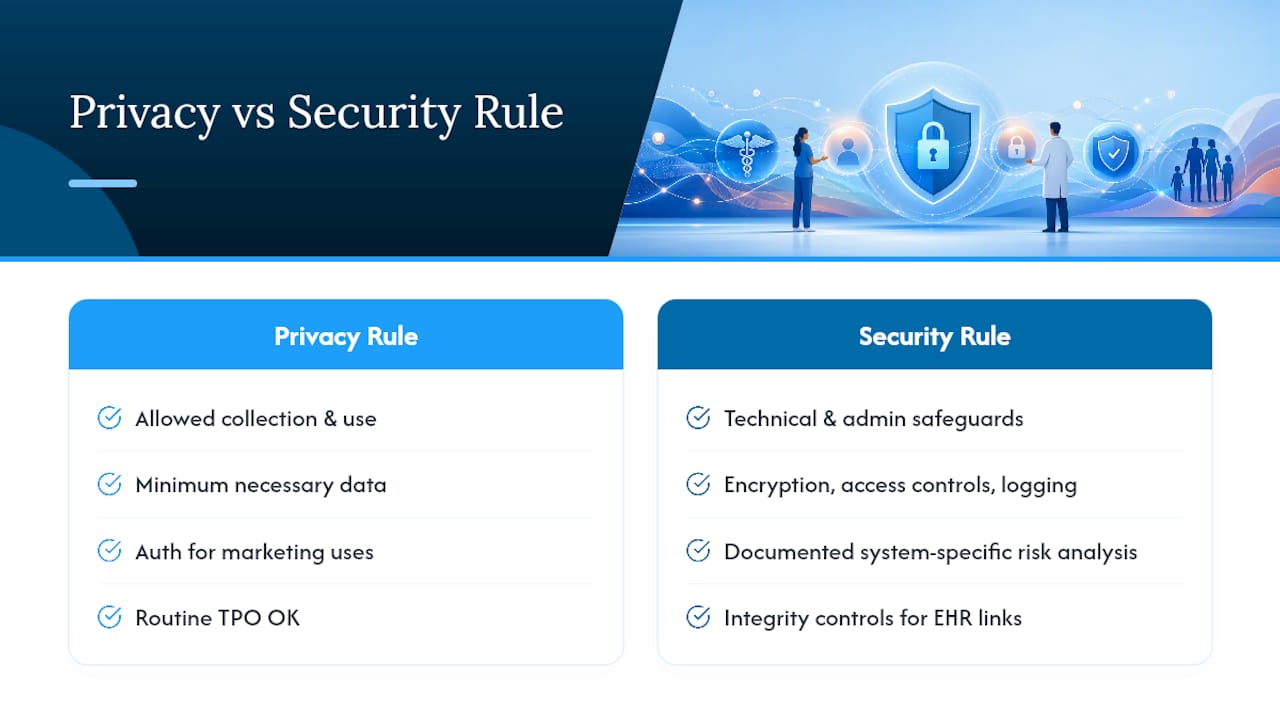
The Security Rule governs the technical and administrative safeguards protecting electronic PHI, which means it's the rule that dictates encryption standards, access controls, and audit logging on your forms. It also requires a documented risk analysis specific to your systems, not a generic template pulled off the internet. If your form integrates with an EHR, the Security Rule's integrity controls require you to detect and log any unauthorized alteration of that data as it moves between systems.
The Privacy Rule governs what you're allowed to collect and how you use it once you have it. This is where minimum necessary data comes in: a cosmetic dermatology intake form probably doesn't need a full psychiatric history field. The Privacy Rule also determines when you need a signed authorization versus a simple notice of privacy practices. Routine treatment, payment, and operations don't typically require a separate authorization, but marketing use of patient information collected through a form usually does.
Where practices trip up is treating these as one combined checklist instead of two separate questions: is this data protected correctly (Security Rule), and should we even be asking for this data in the first place (Privacy Rule). A form can pass every technical safeguard and still violate the Privacy Rule by collecting fields with no clinical justification.
Why Staff Training Determines Whether Your Forms Stay Compliant
Technical controls fail constantly because of human habits, not software bugs. A perfectly encrypted form still gets breached the moment a staff member forwards a patient's submission by copying and pasting it into a personal email to "get it to the doctor faster."
Misconfigured notification settings and staff workarounds are consistently behind real-world compliance failures, which means training has to cover behavior, not just system settings. Front-desk staff need to understand specifically why they can't screenshot a form response into a text message to a covering provider, even when it feels faster and more helpful in the moment.
Effective training for form-related compliance covers a few concrete scenarios rather than abstract HIPAA theory: what to do when a form submission notification looks wrong, how to report a suspected access issue, why shared logins are banned, and what "minimum necessary" means in practice when a patient calls asking staff to read back their intake responses over the phone. New hires should walk through your actual form system during onboarding, not just sign an attestation that they've read a policy document.
Annual refreshers matter more for forms than for most systems because vendors change settings, new integrations get added, and old habits creep back in once the initial training memory fades.
How Do You Manage Vendor Risk for Form Processing?
Every vendor touching a patient form is now part of your compliance surface, whether it's the form builder itself, the hosting provider, an EHR integration partner, or a chat widget you added almost as an afterthought.
Start with a vendor inventory: list every third party that could conceivably touch PHI flowing through your forms, including HIPAA compliant live chat software if your site uses one for patient questions, since chat widgets are frequently overlooked in compliance reviews despite handling the same category of sensitive data. For each vendor, confirm the BAA is current, not expired or superseded by a newer terms-of-service update the vendor pushed through without your explicit re-signature.
A signed BAA doesn't transfer your responsibility entirely. Your own risk analysis obligation survives the contract, meaning you still need to evaluate whether a vendor's actual practices match what the BAA promises. Ask vendors directly how they handle subcontractors, since a form builder might use a separate email service or cloud storage provider that also needs to be bound by BAA terms flowing down the chain.
Reassess vendor risk annually or whenever a vendor announces a feature change, a new integration, or a security incident, even a minor one. Vendor management isn't a one-time checkbox during procurement. It's a standing responsibility for as long as that vendor touches patient data.
When Should a Practice Bring in a HIPAA-Aware Web Partner?
Epdwebsites has built websites for medical and professional practices since 2009, and the pattern repeats: email leakage and missing audit logs cause more real compliance failures than weak encryption. An integrated design and hosting partner catches these misconfigurations before launch instead of after an incident. Self-managing works for practices with in-house IT depth. Everyone else moves faster and safer with a specialist involved from day one.
— Kate
Get Your Practice's Forms Audit-Ready
Setting up compliant medical forms yourself means juggling BAAs, encryption settings, audit log configuration, and EHR integration testing on top of running a practice. Epdwebsites handles the whole stack together, secure hosting, form configuration, signed BAAs, and audit logging, so nothing falls through the gap between "the form works" and "the form is actually compliant."

That combination matters because a form vendor alone can't guarantee your hosting environment is locked down, and a hosting provider alone won't configure your intake forms correctly. Epdwebsites builds both pieces as one system for attorneys, CPAs, real estate professionals, and medical practices that need a site holding up under real scrutiny. Most practices move from initial consultation to a fully configured, tested site within a few weeks depending on integration complexity.
Check out the website features built for professional practices and request a consultation to see exactly what a compliant setup looks like for your specific intake process.
Sources
For deeper technical detail, see HIPAA-compliant form setup and the physician hosting security guide from Epdwebsites.
This article is general information, not a substitute for advice from a qualified doctor. Consult a qualified healthcare professional about your own circumstances before acting on anything here.
- HIPAA Business Associate Agreement: What Providers Must Know
- Guidance: Use of email containing protected health information (HIPAA) — Yale
- HIPAA audit log requirements — Compliancy Group