
For professional service firms, the strongest replacement for KateCreativeCo.com is managed WordPress with premium custom design and included hosting — specifically because it gives you file ownership, deep SEO control, and the integration flexibility that attorneys, CPAs, and consultants actually need. The shortlist worth evaluating is: Epdwebsites, Webflow, Squarespace, and Showit.
Quick-fit guide:
- Best for attorneys: Epdwebsites — managed hosting, custom design, law firm website benefits built in from day one
- Best for small CPA firms: Squarespace — fast launch, clean templates, low overhead
- Best for consultants who want DIY control: Webflow — visual-first but code-capable, no hosting lock-in
- Best for visual-first branding: Showit — drag-and-drop canvas, strong aesthetics, WordPress blog integration
Every professional site needs SSL, daily backups, and a trust-signal-forward design before anything else. Those aren't extras — they're the floor.
Table of Contents
- How do the top KateCreativeCo.com alternatives compare?
- Which alternative platforms should you actually consider?
- Why Epdwebsites is a direct alternative for professional firms
- How do you choose the right web design partner?
- What are your next steps after comparing these options?
- Key Takeaways
- What the shortlist gets right — and what most firms miss
- Epdwebsites: a direct option for professional service firms
- Useful sources and further reading
How do the top KateCreativeCo.com alternatives compare?
| Dimension | Epdwebsites | Webflow | Squarespace | Showit | WordPress + Managed Host |
|---|---|---|---|---|---|
| Best for | Attorneys, CPAs, consultants | Consultants, agencies | Small CPA firms, solo practices | Brand-forward consultants | Firms expecting growth |
| Customization | Custom-coded | Custom-coded | Template-based | Template + canvas | Custom-coded |
| Hosting included | Yes — managed | No (separate) | Yes — platform | Yes — platform | No (separate) |
| Typical pricing | Contact for quote | $23–$39/mo + build | $16–$49/mo | $19–$29/mo + build | — |
| Turnaround time | Quick, personalized | 4–10 weeks | 1–3 weeks | 2–6 weeks | 4–12 weeks |
| Support & maintenance | Ongoing, included | Self-managed | Platform support | Platform support | Varies by host |
| SEO / flexibility | High | High | Moderate | Moderate | Highest |
| Security & backups | Managed, included | Manual setup | Platform-managed | Platform-managed | Varies by host |
KateCreativeCo uses a tiered packaged-pricing model (Bloom, Sky, Gold tiers) — a boutique approach that works well for some clients but can leave gaps in ongoing hosting, security, and maintenance. The alternatives above each handle those gaps differently.
Which alternative platforms should you actually consider?
Managed WordPress with premium design and hosting
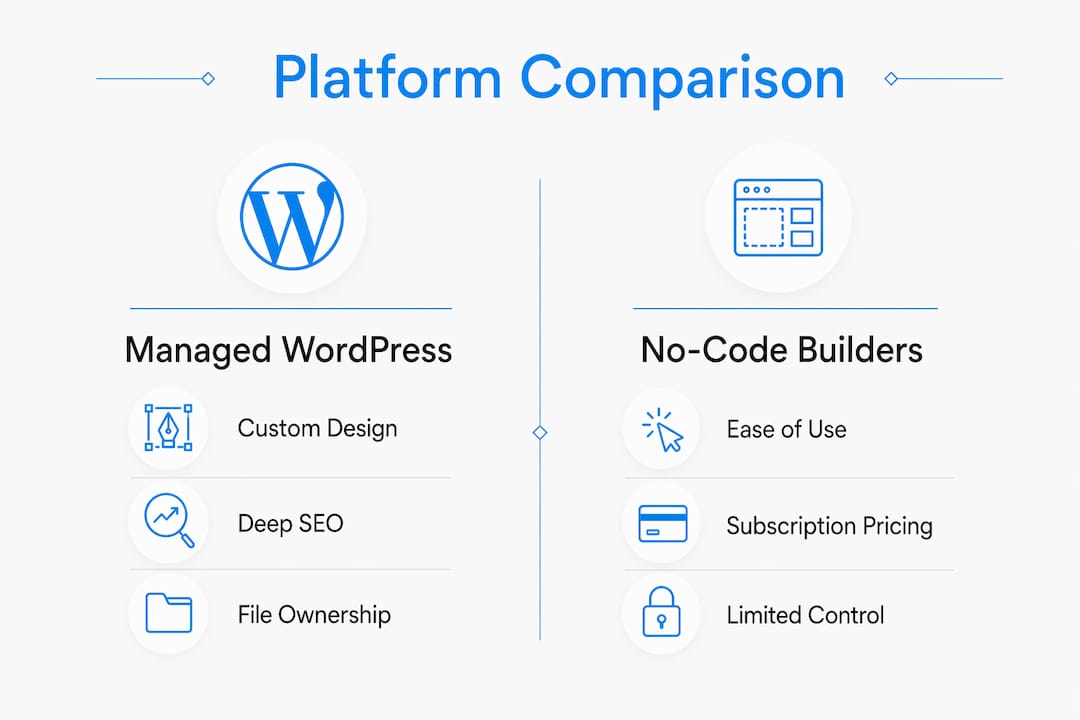
This is the category that fits most professional firms. You own the files, you control the CMS, and you can add intake forms, client portals, appointment scheduling, and CRM integrations without hitting a platform wall. Managed WordPress pairs a custom-built site with a hosting environment that handles uptime, backups, and security patches — so your team isn't doing server maintenance.
- Best for: Attorneys, CPAs, multi-location consultants
- Customization: Custom-coded
- Hosting: Included (managed)
- Pricing band: Varies by scope; hosting typically billed separately or bundled
- Turnaround: 4–8 weeks depending on content readiness
- Integrations: Clio, QuickBooks Online, Calendly, intake forms, payment gateways
Webflow
Webflow sits between a site builder and a development environment. Designers can produce genuinely custom layouts without writing code, and developers can extend it when needed. SEO controls are solid. The catch: hosting is a separate monthly cost, and ongoing maintenance falls on you or a hired developer. For a consultant who wants a distinctive site and has someone technical on call, it's a strong pick.
- Best for: Consultants, boutique agencies, design-forward solo practices
- Customization: Custom-coded (visual)
- Hosting: Not included — Webflow hosts separately
- Pricing band: $23–$39/month platform fee plus design/build costs
- Turnaround: 4–10 weeks
Squarespace
Squarespace is the fastest path to a clean, professional-looking site. Templates are polished, hosting and SSL are included, and the editor requires no technical knowledge. The trade-off is real: plugin options are limited, and complex integrations (client portals, multi-step intake forms) often require workarounds. For a solo CPA or a two-attorney firm that needs a credible web presence without a long build timeline, it works.
- Best for: Solo practitioners, small CPA firms
- Customization: Template-based
- Hosting: Included
- Pricing band: $16–$49/month
- Turnaround: 1–3 weeks
Showit
Showit gives designers a canvas-based editor that produces visually striking results, and it integrates with WordPress for blogging and some plugin functionality. It's popular among brand-forward consultants and coaches. Where it struggles: deep integrations, complex SEO configurations, and scalability beyond a certain point. Template-driven platforms like Showit prioritize visual speed over long-term flexibility — worth knowing before you commit.
- Best for: Brand-forward consultants, speakers, coaches
- Customization: Template + canvas drag-and-drop
- Hosting: Included
- Pricing band: $19–$29/month plus design costs
- Turnaround: 2–6 weeks
Why Epdwebsites is a direct alternative for professional firms

Epdwebsites has specialized in professional-service web design since 2009, with a client roster that includes attorneys, CPAs, real estate professionals, consultants, and medical practices. That specialization matters because a law firm's site has different credibility requirements than a retail brand's — clear credentials, visible contact information, security badges, and case-study evidence carry more weight than trendy visuals.
Services include:
- Custom website design and development
- Managed hosting with SSL, daily backups, and security monitoring
- Branding and logo creation
- Website accessibility compliance
- Post-launch maintenance and change requests
The discovery process covers SEO baseline, mobile responsiveness, required integrations, and client-journey mapping — the same preparation that separates a purpose-built professional site from a template with a logo dropped in. See the full portfolio for completed projects across professional industries.
How do you choose the right web design partner?
- Define your needs first. List required integrations (intake forms, scheduling, payment, CRM), expected monthly traffic, and whether you need ongoing content updates.
- Confirm platform fit. Ask which CMS the agency truly specializes in — and request a short admin tour so your team can judge usability before signing.
- Verify file ownership. You should own your domain, site files, and content at launch. Non-transferable builds are a liability.
- Ask for a 12-month total cost of ownership estimate. Low build quotes often exclude maintenance, premium plugins, and security patching — the real cost shows up in year two.
- Check hosting specs. Confirm uptime SLA, backup frequency, and who handles security patches.
- Require mobile responsiveness and accessibility. Both are baseline requirements for professional firms in 2026.
- Review their portfolio in your industry. A designer with no professional-service clients is learning on your dime.
Questions to ask every provider:
- What CMS will my site run on, and will I own the files at launch?
- What's included in your maintenance retainer — and what triggers an extra invoice?
- What's your documented turnaround time from signed contract to launch?
- How do you handle backups and security patching after launch?
Red flags:
- No portfolio in professional services
- Vague or all-in-one pricing with no itemized scope
- No documented uptime or backup policy
- One-way contracts with no exit clause
Typical project timeline: Discovery (1 week) → mockups (1–2 weeks) → build (2–4 weeks) → revisions (1 week) → launch. Content readiness and revision rounds are the two biggest cost drivers.
What are your next steps after comparing these options?
- Shortlist 2–3 providers based on portfolio fit and platform alignment with your firm's growth plan. Allow one week for this.
- Request a scoped proposal from each — not a ballpark, a line-item scope with deliverables, timeline, and 12-month hosting/maintenance costs included.
- Schedule a technical discovery call to confirm integrations, CMS ownership, and post-launch support terms. Allow 4–8 weeks for delivery after contract signing, depending on scope.
Pro Tip: When requesting proposals, ask each provider for their total cost of ownership over 12 months — build fee plus hosting, maintenance, security, and any premium plugins. That single number makes apples-to-apples comparison possible and surfaces hidden costs before you sign.
Copy-ready outreach template:
Key Takeaways
For professional service firms, the best KateCreativeCo.com alternatives are managed WordPress with custom design, Webflow, Squarespace, and Showit — each suited to a different firm size and growth profile.
| Point | Details |
|---|---|
| Managed WordPress wins for most firms | File ownership, deep SEO control, and integration flexibility make it the strongest long-term fit for attorneys and CPAs. |
| Template platforms trade flexibility for speed | Squarespace and Showit launch faster but hit limits on complex integrations and scalability. |
| Always request 12-month TCO | Build fees alone are misleading — add hosting, maintenance, plugins, and security to compare true costs. |
| Discovery phase separates quality providers | A provider who asks for your branding assets and client journey before quoting is doing it right. |
| Epdwebsites specializes in professional services | Since 2009, Epdwebsites has built custom sites with managed hosting for attorneys, CPAs, and consultants. |
What the shortlist gets right — and what most firms miss
The conventional wisdom says pick the platform first, then find a designer who knows it. That's backwards. The more useful question is: what does your firm need the site to do in 18 months? A solo CPA who just needs a clean contact page and a services list can get there on Squarespace in two weeks. A five-attorney firm expecting to add a client portal, intake automation, and local SEO campaigns will outgrow that setup before the first annual renewal.
The firms that end up rebuilding their sites 18 months after launch almost always made the same mistake: they optimized for launch speed instead of total cost of ownership. A managed WordPress build with a real discovery phase costs more upfront. It also tends to be the last site rebuild for several years.
Epdwebsites: a direct option for professional service firms
If you want a vetted, industry-focused vendor rather than a platform you manage yourself, Epdwebsites is worth a direct conversation. The firm has built professional-grade sites for attorneys, CPAs, consultants, and medical practices since 2009 — with managed hosting, security, and branding included, not bolted on as add-ons.

A typical first engagement starts with a discovery call covering your existing branding assets, client journey, and required integrations (scheduling, intake forms, payments). From there, you get a scoped proposal with a clear timeline. No vague estimates, no surprise invoices for plugins you assumed were included.
Epdwebsites will ask for: your current logo and brand colors, a list of must-have integrations, your target client profile, and any competitor sites you admire. That preparation makes the build faster and the result sharper.
See the website features and hosting options, or go straight to epdwebsites.com to start a conversation.
Useful sources and further reading
- Epdwebsites.com — main landing page; services, portfolio, and contact
- EPD Website Features — full feature list for professional-service packages
- EPD Portfolio — completed projects across professional industries
- Law Firm Website Benefits That Win More Clients — evidence for professional-focused design
- Types of Law Firm Website Layouts: 2026 Guide — layout decisions for attorney sites
- Build Trust with Website Design — trust signals and credibility guidance
- What Does a Mobile-Friendly Website Mean in 2026? — mobile responsiveness checklist
- Website Accessibility — ADA compliance and accessibility services
- KateCreativeCo.com Work With Me — tiered pricing reference for the original provider
- Kate Rollins Web Design — professional web design principles and discovery-phase guidance