
For most U.S. medical practices that need HIPAA-aware hosting plus hands-on support, a managed, compliance-focused vendor like Epdwebsites is the strongest starting point. You get custom design, managed hosting, and an ongoing relationship with a team that understands professional service compliance — without the DIY burden that trips up most clinic managers who try to configure WordPress or Wix on their own.
Here is the short shortlist before the full breakdown:
- Epdwebsites — Best for practices that want a done-for-you build with custom design, managed hosting, and compliance-aware operations. No technical skill required.
- PatientGain / PatientPop (Tebra) / iMatrix — Best for clinics that want a healthcare-specific managed platform with built-in marketing, booking, and EHR connectors.
- WordPress (self-hosted) — Best for multi-location groups with an in-house developer who can manage plugins, security patches, and BAA arrangements independently.
- Wix / Squarespace / Showit — Best for solo practitioners or small practices on a tight budget who need a presentable site fast and can accept limited HIPAA support.
- Blaze.tech / Quickbase / Caspio — Best for health-tech teams or enterprise groups that need custom data workflows, patient portals, or internal tools built on a low-code backbone.
Two things matter before you evaluate any platform: whether the vendor will sign a Business Associate Agreement (BAA), and whether patient data ever touches their servers. If a vendor cannot answer both questions in writing, stop the conversation there.
Key Takeaways
The best medical practice website platform is the one that signs a BAA, documents its data handling, and fits your practice's technical capacity and integration requirements — everything else is secondary.
| Point | Details |
|---|---|
| BAA is non-negotiable | Any platform handling PHI must sign a Business Associate Agreement before you go live. |
| Match platform to technical capacity | Solo practitioners without IT staff should choose managed or healthcare-specific platforms, not self-hosted CMS. |
| Budget for integrations and migration | EHR-to-booking mapping and platform migrations typically take a few weeks and carry real costs beyond the monthly fee. |
| Mobile and speed are table stakes | With over 60 % of web traffic now occurring on mobile devices, a slow or non-responsive site loses patients before they reach your booking page. |
| Epdwebsites for done-for-you builds | Practices that want custom design, managed hosting, and compliance-aware operations without managing the technical layer should contact Epdwebsites for a custom quote. |
Table of Contents
- Which medical practice website platforms should you compare?
- What does each platform actually deliver for a medical practice?
- How do you choose the right platform for your medical practice?
- How we evaluated these platforms
- What actually works when you build a medical practice website
- The HIPAA-first shortlist: an editorial take on what actually matters
- Epdwebsites builds medical websites that are ready to work from day one
- Sources
Which medical practice website platforms should you compare?
The table below covers the 15 most-evaluated options across four categories: done-for-you managed services, healthcare-specific platforms, general-purpose builders, and low-code/data tools. Epdwebsites leads as the recommended done-for-you option.
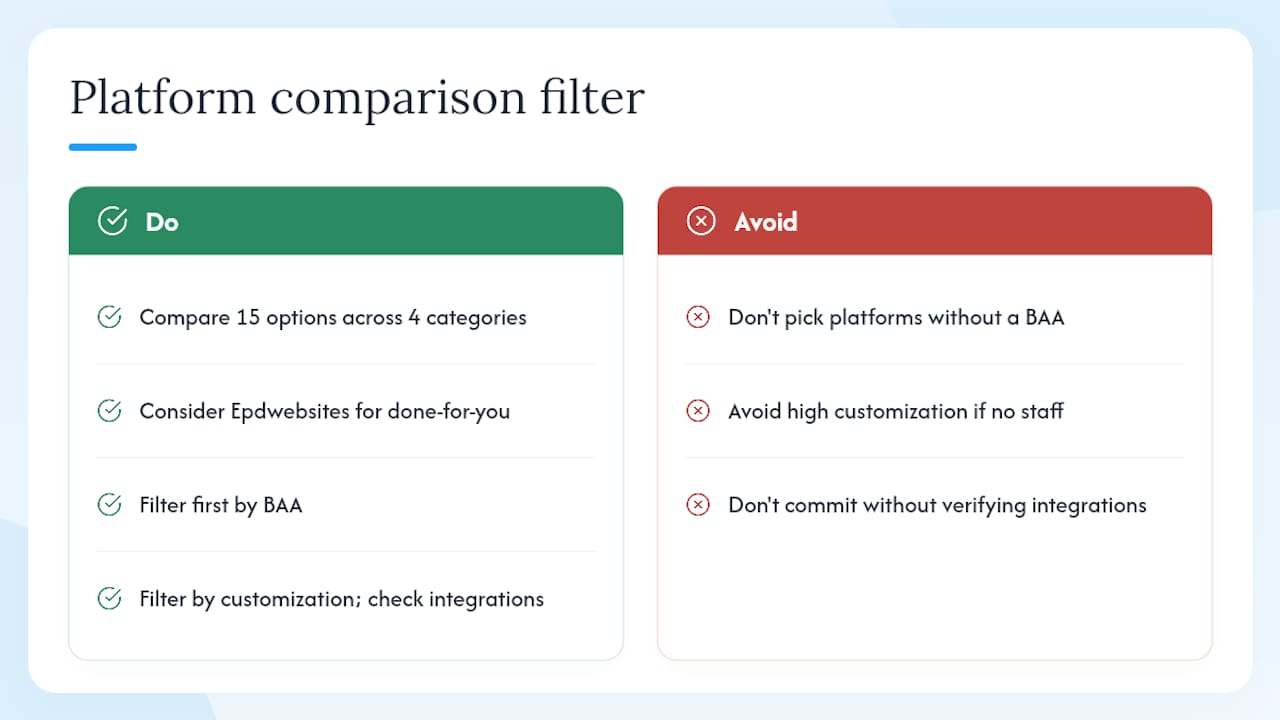
How to read this table: If HIPAA compliance is non-negotiable (it should be for any practice handling protected health information), filter first by the BAA column. Practices without technical staff should then filter by customization level. Use the integrations column to check whether your EHR or scheduling tool is supported before committing to any platform.
What does each platform actually deliver for a medical practice?
Epdwebsites: done-for-you, compliance-aware custom design
Epdwebsites is the right call for practices that want a professional, custom-built site without managing a single plugin update or hosting configuration. The service covers design, development, managed hosting, branding, and ongoing maintenance — with optional AI chatbot and SEO add-ons that most healthcare-specific platforms charge separately. Practices retain data ownership, and the team operates with compliance awareness built into the workflow rather than bolted on as an afterthought.
The practical advantage over DIY builders is time. A practice manager who spends three weeks configuring WordPress security plugins and chasing a BAA from a shared hosting provider has already lost more than the cost difference. Epdwebsites handles that operational layer. It suits solo practitioners, small clinics, and multi-location groups equally, because the scope is defined per project rather than locked into a template tier.
Pros: Custom design, no technical skill required, managed hosting, compliance-aware operations, direct support contact, SEO and AI add-ons available. Cons: Custom quote rather than published pricing; not a self-serve tool.
Healthcare-specific managed platforms: PatientGain, PatientPop (Tebra), iMatrix / ChiroMatrix
These three platforms are built specifically for clinical environments. PatientGain and PatientPop both offer BAA agreements, built-in EHR connectors, reputation management, and local SEO tools. PatientPop, now part of Tebra, is particularly strong for multi-location groups that need centralized scheduling and review management across providers. iMatrix and its chiropractic-focused variant ChiroMatrix serve specialty clinics that want pre-built templates and scheduling without a developer.
The trade-off is flexibility. You get a lot of healthcare-specific functionality out of the box, but the design is constrained by the platform's template library. Practices with strong brand identity or unusual workflow needs often find these platforms limiting after the first year.
Who should choose these: Small-to-mid clinics that want a single vendor for website, marketing, and scheduling, and are comfortable with a template-driven look.
SimplePractice and MedSiteAI
SimplePractice is purpose-built for solo therapists, counselors, and behavioral health providers. It includes telehealth, billing, scheduling, and a client portal under one BAA. The website component is basic, but for a solo practice that needs everything in one subscription, it removes a lot of administrative friction.
MedSiteAI takes a different angle: AI-assisted templates designed for medical aesthetics and specialty practices. Verify BAA availability directly with the vendor before handling any protected health information through the platform.
General-purpose builders: Wix, Squarespace, Showit, Shopify, Webador, IONOS
None of these platforms offer a BAA, which means they cannot legally host protected health information under HIPAA. That is not a minor caveat. If your contact forms, booking widgets, or patient intake flows collect any PHI, these platforms put your practice at legal risk.
Where they work: a static informational site with no patient data collection, or a marketing front-end that routes all clinical interactions to a separate HIPAA-compliant system. Squarespace and Showit produce genuinely attractive designs. Wix has the broadest app marketplace. Shopify makes sense only if the practice sells physical products. Webador and IONOS are entry-level options for practices that need a web presence on a minimal budget and have no patient data flowing through the site.
Low-code and data platforms: Blaze.tech, Quickbase, Caspio
These are not website builders in the traditional sense. Blaze.tech, Quickbase, and Caspio are low-code platforms for building custom applications, patient portals, or internal workflow tools. Quickbase and Caspio both offer BAA agreements for healthcare customers. They require administrative or developer skill to configure, and pricing scales with users or data volume.
Multi-location health systems that need a custom patient intake portal, a provider directory with live data, or a workflow automation layer on top of their EHR will find these platforms useful. A solo practitioner will not.
How do you choose the right platform for your medical practice?
Vendor questions to ask before you sign anything
- Will you sign a Business Associate Agreement, and can I see your standard BAA template before committing?
- Where is patient data stored, and which subcontractors or cloud providers have access to it?
- Is data encrypted at rest and in transit? What encryption standard do you use?
- Do you maintain audit logs of data access, and how long are they retained?
- What is your breach notification procedure, and what is the SLA for notifying covered entities?
- Can I export all site content and patient data in a portable format if I leave?
- What is your uptime SLA, and what remedies apply if you miss it?
- Which EHR systems, scheduling tools, and telehealth platforms do you integrate with natively?
Check telehealth integration compatibility early. Physicians report using platforms like Doxy.me, Updox, Mend, and VCDoctor — and not every website platform connects to all of them cleanly.
Red flags that should end the conversation
- Vendor cannot or will not sign a BAA
- No documentation of encryption standards
- Vendor cannot name the data center or cloud provider hosting your data
- No multi-factor authentication for admin access
- Contact forms or booking widgets that store submissions on the vendor's shared infrastructure with no PHI isolation
- No audit log capability
- EHR integration described as "coming soon" or requiring a third-party middleware you pay for separately
Budget items to plan for
Beyond the monthly platform fee, practices routinely underestimate these costs:
- Setup and design: One-time fee ranging from a few hundred dollars for a template build to several thousand for custom design.
- Hosting: Monthly recurring cost, either bundled (managed platforms) or separate (self-hosted WordPress).
- Integrations: EHR connectors, scheduling widgets, and telehealth embeds often carry per-seat or per-transaction fees.
- Compliance add-ons: BAA documentation, security audits, and HIPAA training for staff are real costs even when the platform is compliant.
- Migration: Moving from one platform to another typically takes 4–8 weeks and requires content migration, redirect mapping, and integration re-configuration.
Phone calls and local search remain among the highest-converting patient acquisition channels, so budget for call tracking and local SEO from day one rather than retrofitting them later.
Pro Tip: Before signing a BAA, ask the vendor to walk you through their data flow diagram — specifically where form submissions land, who can access them, and whether any third-party analytics tools (Google Analytics, Meta Pixel) receive PHI. Many practices discover compliance gaps at this step that marketing pages never mention.
Review third-party sources, not just vendor marketing pages. Trustpilot listings for website-related services surface operational patterns — support response times, billing disputes, data export friction — that you will not find in a demo.
For a detailed security checklist specific to physician websites, the physician website hosting security guide covers encryption, access control, and backup requirements in practical terms.
How we evaluated these platforms
Every platform in this article was assessed against the same criteria:
- HIPAA / BAA verification: Confirmed whether a BAA is available and reviewed the standard terms where publicly accessible.
- Security feature checklist: Encryption at rest and in transit, multi-factor authentication, audit log availability, and data center documentation.
- Performance testing: Google PageSpeed Insights and Core Web Vitals scores for representative sites built on each platform, with particular attention to Largest Contentful Paint and Cumulative Layout Shift.
- Mobile responsiveness: Mobile devices now account for the majority of global web sessions, making mobile-first rendering a baseline requirement, not a bonus feature.
- SEO and ranking signals: Mobile-friendliness and page speed are confirmed ranking factors that directly affect how easily patients find a practice through organic search.
- Integration testing: Checked native connectors for common EHR systems, scheduling tools, telehealth platforms, and payment processors.
- Third-party review checks: Reviewed Capterra and Trustpilot listings for each platform to surface support and reliability patterns.
- Documentation review: Assessed the depth and clarity of each vendor's compliance documentation, data processing agreements, and support SLAs.
Platforms with no BAA were not disqualified outright — they were categorized as suitable only for static informational sites with no PHI. Platforms that could not produce encryption documentation were flagged as high-risk.
For publisher E-E-A-T context: Epdwebsites has built professional websites for medical practices and other professional service providers since 2009. The portfolio and blog resources reflect direct experience with the compliance, design, and operational requirements that clinical clients bring to the table.
What actually works when you build a medical practice website
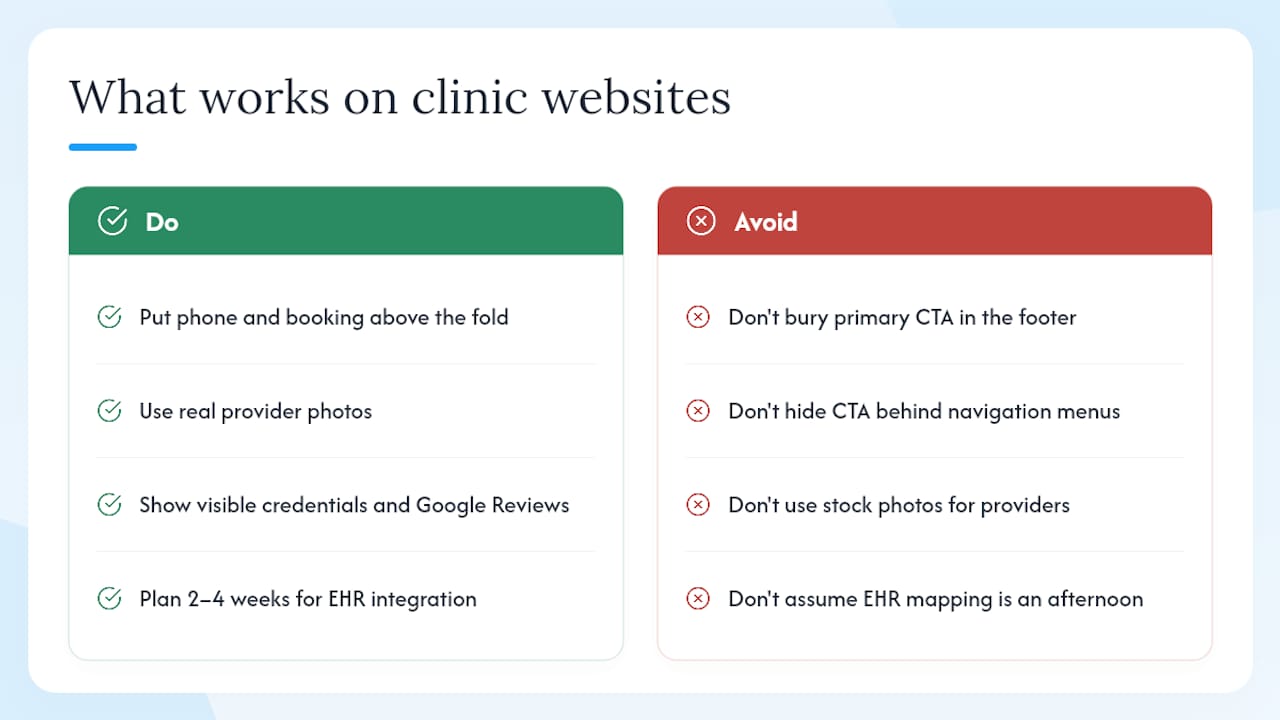
The practices that convert the most appointment requests share one structural pattern: a phone number and a booking button visible above the fold on every page, on every device. Not buried in the footer. Not hidden behind a navigation menu. Front and center. It sounds obvious, but a surprising number of clinic sites bury their primary CTA three scrolls down because the designer prioritized a hero image.
Trust signals matter more than aesthetics for most clinical specialties. A clean, fast-loading site with real provider photos, visible credentials, and a Google Reviews widget outperforms a visually elaborate site that loads slowly and hides the doctor's face behind a stock photo. Patients are making a trust decision, not an aesthetic one.
On the ownership question: practices that self-host on WordPress retain full data portability and can switch hosting providers without losing content. That flexibility has real value. But it comes with a maintenance burden that most clinic managers underestimate — monthly plugin updates, security patches, backup verification, and the occasional emergency when a plugin conflict breaks the booking widget at 11 PM on a Friday. Managed hosting removes that burden entirely.
The integration scenario that most often surprises practices is the EHR-to-booking mapping. A practice assumes that connecting their website's scheduling widget to their EHR is a simple API call. In practice, it usually requires workflow redesign: appointment types in the EHR need to match the options presented on the website, provider availability rules need to be configured in both systems, and patient intake data needs to map cleanly to the EHR's field structure. Plan for two to four weeks of configuration and testing, not an afternoon.
For navigation and UX patterns that support patient flow, the clinic website navigation best practices guide covers the structural decisions that affect both conversion and accessibility.
The HIPAA-first shortlist: an editorial take on what actually matters
The conventional advice on medical practice websites focuses heavily on design and features. Pick a platform with a clean template, add a booking widget, and you're done. That framing misses the point entirely.
The real decision is a compliance and operational one, not a design one. A beautifully designed site built on a platform with no BAA is a liability. A modest-looking site on a properly configured, BAA-backed platform is a defensible business asset. Design is the last variable to optimize, not the first.
What the research in this article actually supports: for most U.S. practices, the choice comes down to two paths. Either you hire a managed, compliance-aware vendor like Epdwebsites and get a custom site with the operational layer handled for you, or you choose a healthcare-specific platform like PatientGain or PatientPop and accept the template constraints in exchange for built-in clinical integrations. Everything else — WordPress, Wix, Squarespace — is a workaround that requires either significant technical investment or a willingness to accept compliance gaps.
The integration question is underrated. Practices that choose a platform without checking EHR and telehealth compatibility first often discover the problem six months in, when they're locked into a contract and facing a migration. Ask about integrations in the first vendor call, not the last.
Epdwebsites builds medical websites that are ready to work from day one
Most medical practices that contact Epdwebsites have already spent time on a DIY builder or a generic agency, and the result was a site that looked fine but didn't perform — slow load times, no clear booking path, and a hosting arrangement with no compliance documentation.

Epdwebsites delivers custom-designed, professionally hosted websites built specifically for practices like yours: a complete build with managed hosting, built-in SEO, performance monitoring, and optional AI chatbot and Google Reviews integrations. The compliance-aware approach means your hosting and data handling are documented from the start, not retrofitted after a compliance audit surfaces a problem. There's no template to wrestle with and no plugin updates to manage.
View the website features and service details or check hosting and maintenance options to understand the ongoing cost structure. When you're ready to move forward, request a consultation directly through the site and get a custom quote for your practice's scope and size.
Sources
- Mobile internet - Statistics & Facts | Statista
- About PageSpeed Insights | Google Developers
- Mobile friendliness and ranking factors | Search Engine Journal
- Healthcare marketing statistics | CallRail
- WebsitePlanet reviews | Trustpilot
- The 4 best telemedicine platforms for physicians in 2026 | Sermo
This article is general information, not a substitute for advice from a qualified doctor. Consult a qualified healthcare professional about your own circumstances before acting on anything here.