
Legal website compliance is the process of making your website meet all applicable laws, regulations, and standards governing privacy, accessibility, and user interaction. Understanding website compliance regulations is no longer optional for attorneys, CPAs, consultants, or any professional with an online presence. No single global law covers every requirement. Instead, compliance means satisfying multiple overlapping frameworks, including GDPR, CCPA, the ADA, and WCAG, all enforced simultaneously. This guide breaks down what is legal website compliance explained in plain terms, so you can act with confidence rather than guesswork.
What is legal website compliance, and why does it matter?
Legal website compliance is defined as the ongoing practice of aligning your website's design, data handling, content, and user policies with every law and regulation that applies to your business and audience. The term "web compliance law" is informal shorthand. The actual legal landscape includes specific statutes like the General Data Protection Regulation (GDPR) in Europe, the California Consumer Privacy Act (CCPA) in the United States, the Americans with Disabilities Act (ADA), and technical standards like the Web Content Accessibility Guidelines (WCAG).
Compliance matters because regulators actively enforce these rules. GDPR fines have reached hundreds of millions of dollars for large organizations. Even small businesses face complaints, lawsuits, and reputational damage from non-compliance. For legal professionals and business owners, a non-compliant website signals carelessness to clients who expect precision and trustworthiness.

The practical scope of website legal requirements covers four core areas: data privacy, accessibility, cookie consent, and required legal pages. Each area carries its own rules, its own enforcement body, and its own consequences for failure. Getting all four right is the baseline for operating a credible professional website in 2026.
What are the essential components of website compliance regulations?
Every professional website must carry specific legal documents and mechanisms to meet baseline global standards. Privacy policies, Terms of Service, and cookie consent are required by GDPR and CCPA whenever a site collects personal data, which includes names, email addresses, and IP addresses. Collecting even one of these without a compliant privacy policy puts you in violation.
Here are the core components every compliant website needs:
- Privacy Policy. Required under GDPR and CCPA if you collect any personal data. The policy must describe what data you collect, why you collect it, how long you keep it, and who you share it with.
- Terms of Service. Sets the legal relationship between your business and site visitors. It limits liability, defines acceptable use, and establishes governing law.
- Cookie Consent Mechanism. Under the EU ePrivacy Directive, cookies that track users require explicit opt-in consent before they fire. CCPA requires a "Do Not Sell My Personal Information" option for California residents.
- Cookie Notice. A clear disclosure explaining which cookies your site uses, categorized by purpose (functional, analytics, marketing).
- Accessibility Statement. Documents your commitment to WCAG standards and provides a contact method for users who encounter barriers.
Cookie consent is where most professional websites fail first. The EU ePrivacy Directive requires that tracking cookies do not activate until a user actively consents. A banner that appears after trackers have already loaded is a violation, not a solution.
Pro Tip: Use a consent management platform like Cookiebot or OneTrust to automate cookie categorization and ensure trackers fire only after valid consent is recorded.
How do accessibility laws impact website compliance?
Website accessibility is a legal requirement, not a design preference. The ADA Title III applies to places of public accommodation, and federal courts have consistently ruled that websites qualify. The European Accessibility Act mandates compliance for businesses with at least 10 employees or €2 million in annual turnover. Both frameworks point to WCAG 2.1 Level AA as the recognized technical standard.
WCAG 2.1 AA covers four principles: content must be perceivable, operable, understandable, and robust. In practice, this means providing alt text for images, ensuring keyboard navigation works without a mouse, maintaining sufficient color contrast, and making forms usable with screen readers like JAWS or NVDA.
The critical insight most business owners miss is this: automated scans detect only 30–40% of accessibility issues. Manual testing by a human tester catches complex barriers like illogical tab order, confusing form labels, and broken navigation flows that no automated tool identifies. Relying on a single scan and calling the site compliant is a legal risk.
A practical accessibility audit follows these steps:
- Run an automated scan using tools like Axe or WAVE to identify obvious violations.
- Conduct manual keyboard navigation testing across all pages and interactive elements.
- Test with a screen reader such as JAWS or NVDA to verify content reads logically.
- Review color contrast ratios against WCAG 2.1 AA thresholds (4.5:1 for normal text).
- Publish an accessibility statement and provide a working contact channel for user feedback.
For a detailed breakdown of accessibility requirements for professionals, the 2026 guide from Epdwebsites covers the European Accessibility Act thresholds and ADA obligations specific to professional service firms.
Pro Tip: Schedule manual accessibility testing at least once per year and after any major site redesign. Courts have accepted documented testing efforts as evidence of good-faith compliance.
What ongoing obligations keep your site compliant?
Compliance is not a one-time project. Data subject access requests must be handled within 30 days under GDPR, covering rights to access, correct, or delete personal data. A professional services firm that ignores a deletion request from a former client is in direct violation, regardless of how good its privacy policy looks.
Ongoing compliance requires attention to these areas:
- Cookie inventory audits. Third-party tools change their tracking behavior without notice. Audit your cookie inventory quarterly to catch new trackers that have not been disclosed or consented to.
- Data Processing Agreements (DPAs). Every third-party tool connected to your site, from email marketing platforms to analytics providers, requires a signed DPA. Third-party tools represent overlooked compliance risks when DPAs are missing or outdated.
- Policy updates. Your privacy policy and terms must reflect your actual current data practices. Stale compliance documentation can invalidate your legal defense during a regulatory audit or complaint.
- Consent banner review. Passive cookie banners that fire trackers on page load before user interaction are a common and easily identified violation. Regulators flag these immediately.
The most common failure pattern is a firm that built a compliant site two years ago and has not touched the legal pages since. New tools get added, business practices change, and the privacy policy quietly becomes fiction. That gap is where liability lives.
What legal pages and disclaimers does your website need?
Every professional website needs a specific set of legal pages, and each page serves a distinct function. Treating them as interchangeable is a mistake that creates gaps in liability protection.
| Legal Page | Primary Purpose | Who Needs It |
|---|---|---|
| Privacy Policy | Discloses data collection and use practices | Any site collecting personal data |
| Terms of Service | Defines user rights, restrictions, and governing law | All commercial websites |
| Cookie Notice | Lists cookies by category and purpose | Sites using any tracking or analytics cookies |
| Disclaimer | Limits liability for specific content (legal, medical, financial) | Attorneys, CPAs, medical practices, consultants |
| Accessibility Statement | Documents WCAG compliance efforts and contact channel | All businesses subject to ADA or European Accessibility Act |
| Affiliate Disclosure | Discloses financial relationships with linked products | Sites with affiliate or referral links |
Disclaimers deserve special attention. Legal disclaimers placed contextually near the content where liability might arise are more effective than a single disclaimer buried on a standalone page. An attorney's blog post offering general legal information should carry a disclaimer directly on that page, not just in a footer link. Contextual placement sets user expectations clearly and strengthens the liability defense.
Legal content writing for websites requires that every page accurately reflects current operations. A refund policy that no longer matches your actual practice, or a terms page that references services you no longer offer, creates contradictions that undermine your legal standing. Review all legal pages whenever your business model, services, or data practices change.
Key Takeaways
Legal website compliance requires maintaining accurate legal pages, valid cookie consent, accessible design, and current data processing agreements across every part of your site.
| Point | Details |
|---|---|
| Compliance covers four areas | Privacy, accessibility, cookie consent, and required legal pages all carry separate legal obligations. |
| WCAG 2.1 AA is the standard | Both ADA Title III and the European Accessibility Act use WCAG 2.1 AA as the benchmark for accessible websites. |
| Automated scans are insufficient | Automated tools detect only 30–40% of accessibility issues; manual testing is required for full compliance. |
| Stale legal pages create liability | Outdated privacy policies and terms that no longer reflect actual practices can invalidate your legal defense. |
| Ongoing audits are mandatory | Cookie inventories, DPAs, and consent mechanisms require regular review, not a single setup. |
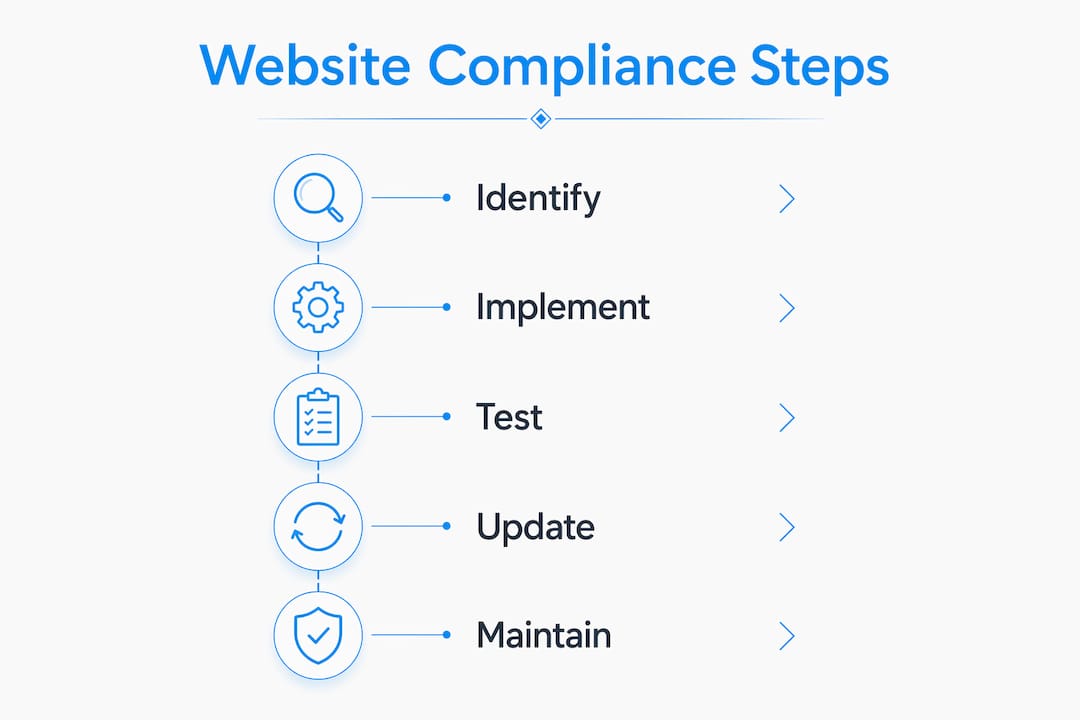
Why compliance is a practice, not a project
I have reviewed hundreds of professional service websites over the years, and the pattern is almost always the same. A firm invests in a solid website, adds a privacy policy at launch, and then treats compliance as finished. Two years later, they have added a live chat tool, a new analytics platform, and a contact form that routes data to a third-party CRM. None of those additions have been disclosed, consented to, or covered by a DPA. The privacy policy still describes the site as it existed at launch.
The uncomfortable truth is that most compliance failures are not caused by ignorance of the law. They are caused by treating compliance as a checkbox rather than a practice. Transparency through clear, updated privacy policies and user-friendly consent options builds trust and reduces legal risk. That is not a legal platitude. It is a business reality that clients notice.
Accessibility is the area where I see the most overconfidence. Running an automated scan and seeing a green score does not mean your site is accessible. Manual verification remains essential because automated tools miss the barriers that real users with disabilities actually encounter. A keyboard-only user or a screen reader user will find problems that no scanner ever flags. For attorneys and CPAs especially, an inaccessible website is not just a compliance risk. It is a signal that you do not serve all clients equally.
My practical advice: schedule a compliance review every six months, treat every new third-party tool as a compliance event, and write your legal pages as if a regulator will read them tomorrow. Because one day, they might.
— Kate
How Epdwebsites helps you build a compliant professional website
Professional web design built for attorneys, CPAs, and consultants needs compliance woven in from the start, not bolted on afterward.

Epdwebsites has designed and hosted professional websites since 2009, with a focus on the specific needs of white-collar service providers. The professional web design packages include structured legal page placement, accessibility-conscious design, and cookie consent integration as part of the build process. When your business practices change, the site update service makes it straightforward to keep your legal pages current without starting from scratch. Reach out to Epdwebsites for a consultation on building a website that represents your firm with the credibility your clients expect.
FAQ
What is legal website compliance?
Legal website compliance is the process of making your website meet all applicable laws and standards covering data privacy, accessibility, cookie consent, and required legal disclosures. Key frameworks include GDPR, CCPA, ADA Title III, and WCAG 2.1 AA.
Does my small business website need a privacy policy?
Yes. GDPR and CCPA require a privacy policy on any website that collects personal data, including names, email addresses, or IP addresses. This applies regardless of business size.
What accessibility standard applies to US business websites?
WCAG 2.1 Level AA is the recognized benchmark for ADA Title III compliance in the United States. Courts and regulators use this standard to evaluate whether a website is accessible.
How often should I update my website's legal pages?
Review and update your privacy policy, terms, and cookie notice whenever your data practices, services, or third-party tools change. At minimum, conduct a full review every six months to catch stale documentation before it becomes a liability.
What is a cookie consent banner, and is it required?
A cookie consent banner is a mechanism that informs users about cookies and collects their consent before tracking cookies activate. Under the EU ePrivacy Directive, explicit opt-in consent is required before any non-essential cookies fire on a visitor's browser.