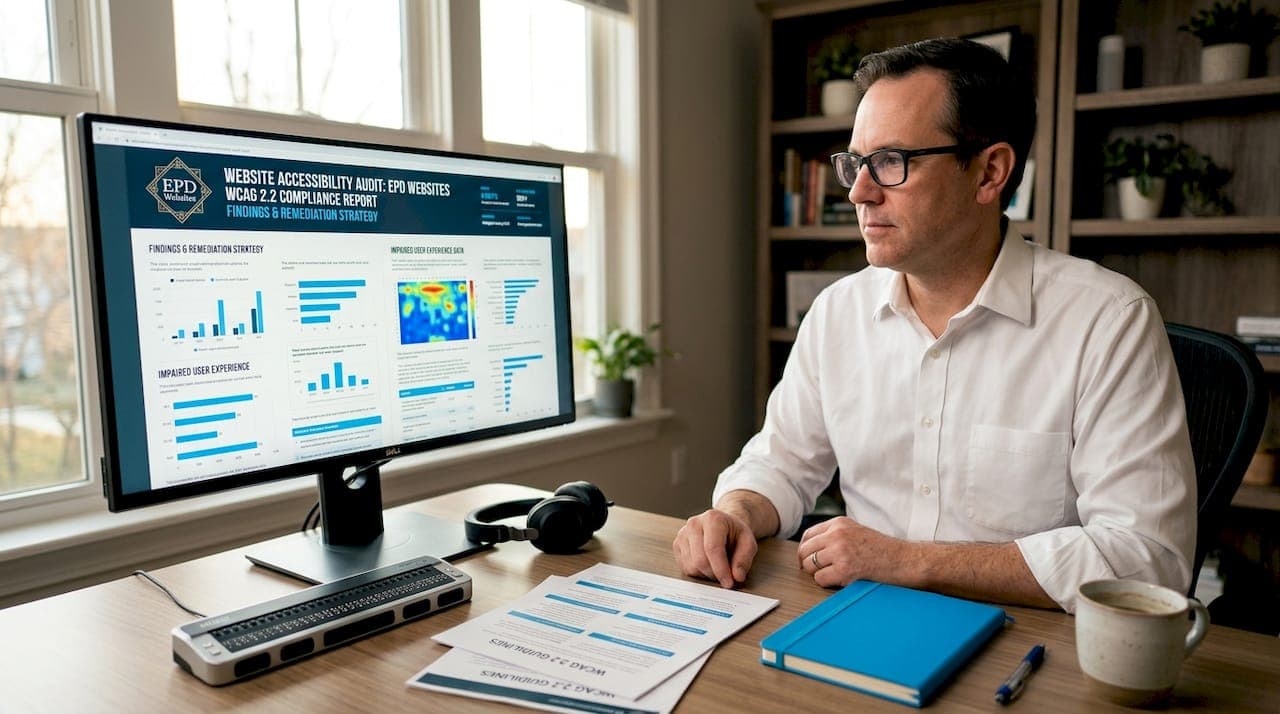
Website accessibility is the practice of designing web content so that every user, including people with disabilities, can perceive, understand, navigate, and interact with it effectively. For professionals such as attorneys, CPAs, medical practices, and consultants, this is not optional. The Web Content Accessibility Guidelines (WCAG) set the global technical standard, while U.S. laws including the Americans with Disabilities Act (ADA) and Section 508 create binding legal obligations. Understanding what website accessibility for professionals means in practice requires knowing the standards, the law, and the steps to implement both.
What is website accessibility for professionals?
Website accessibility is defined by WCAG as building web content around four core principles: Perceivable, Operable, Understandable, and Robust. These principles are not abstract ideals. Each one maps to testable success criteria that designers, developers, and content authors can verify and document. For professionals managing client-facing websites, these criteria function as measurable quality gates throughout every stage of design and development.
WCAG organizes conformance into three levels:
- Level A covers the most basic accessibility requirements. Failing these criteria makes content inaccessible to large groups of users.
- Level AA is the standard referenced by most legal frameworks, including the ADA. It addresses the most common barriers without placing an unreasonable burden on site owners.
- Level AAA represents the highest level of conformance. It is aspirational for most professional websites and not required by law in most contexts.
The current benchmark is WCAG 2.2, which extends WCAG 2.1 with additional success criteria focused on cognitive accessibility and mobile usability. Using WCAG 2.2 as your policy target reduces future rework when regulations update, since older versions become progressively less relevant to enforcement.
| WCAG Level | Requirement type | Typical use case |
|---|---|---|
| Level A | Minimum baseline | All public websites |
| Level AA | Legal compliance standard | ADA, Section 508, most regulations |
| Level AAA | Maximum conformance | Specialized accessibility-first sites |

Pro Tip: When contracting with web designers or vendors, specify the exact WCAG version and level in writing. "WCAG 2.1 AA" and "WCAG 2.2 AA" are not interchangeable, and conformance targets are contractually critical to avoid disputes over scope.
How do U.S. legal requirements affect professional websites?
The ADA applies to websites under two titles. Title II covers state and local government entities. Title III covers businesses open to the public, which includes the websites of law firms, medical practices, real estate agencies, and accounting firms. The DOJ has interpreted ADA obligations to include web content since 1996, meaning the legal exposure for non-compliant professional websites is not new. What is new is the pace of enforcement.
For Title II entities, the compliance picture is now specific. State and local governments must meet WCAG 2.1 Level AA for all web and mobile content. Larger entities face a compliance deadline of April 26, 2027. Smaller entities have until April 26, 2028. Both deadlines require ongoing monitoring after the initial compliance date, not a one-time fix.
For private-sector professionals under Title III, the standard is "effective communication." Your website must not create barriers that prevent people with disabilities from accessing your services. Courts have consistently ruled that inaccessible websites violate this standard, and demand letters targeting professional service providers have increased significantly over the past five years.
Section 508 applies specifically to federal agencies and any organization receiving federal funding. If your practice works with government contracts or federally funded programs, Section 508 compliance is a direct obligation, not a best practice.
Key legal obligations for professionals to understand:
- ADA Title III applies to virtually all business websites serving the public
- WCAG 2.1 Level AA is the accepted technical standard for legal compliance
- Section 508 applies to federal ICT and federally funded organizations
- Effective communication requires more than technical fixes. It requires accessible content, formats, and user pathways
- Compliance is ongoing. A site that passes an audit today can fail after a content update
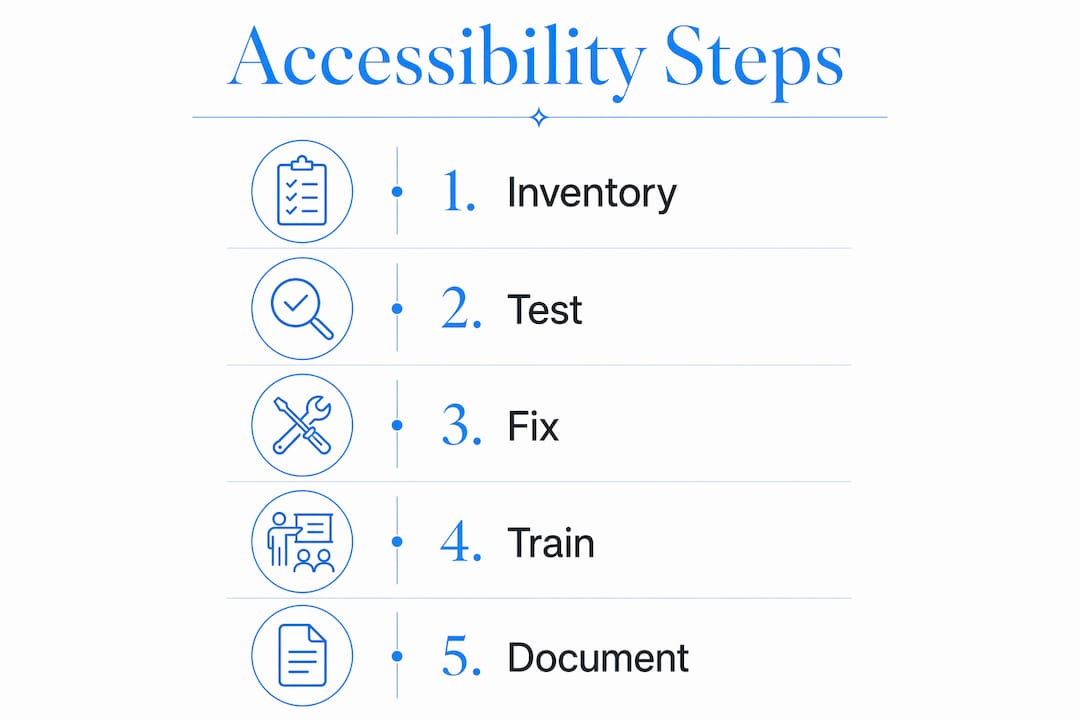
Pro Tip: Document your accessibility conformance testing with dated records. If a complaint is filed, evidence of a good-faith compliance program significantly reduces legal exposure.
How to improve website accessibility: practical steps for professionals
The most effective starting point is an accessibility inventory. Map every page, document, video, and form on your site. Identify which content types exist, who owns them, and which WCAG success criteria apply. This scoping exercise prevents the common mistake of auditing only the homepage while leaving inaccessible PDFs and contact forms untouched.
Testing requires both automated tools and manual review. Automated checkers catch roughly 30 to 40 percent of accessibility issues but produce false positives and miss context-dependent failures entirely. Tools like Axe, WAVE, and Lighthouse are useful for flagging structural problems, but a screen reader test using NVDA or JAWS will reveal barriers that no automated scanner detects. Manual keyboard navigation testing, color contrast checks, and review of form error messages are non-negotiable steps.
Core accessibility best practices every professional website must address:
- Alt text for images. Every meaningful image needs descriptive alternative text. Decorative images should have empty alt attributes so screen readers skip them.
- Keyboard navigation. All interactive elements, including menus, forms, and buttons, must be reachable and operable without a mouse.
- Color contrast. Text must meet a minimum contrast ratio of 4.5:1 against its background at Level AA. This benefits users with low vision and anyone reading on a bright screen outdoors.
- Captions and transcripts. All video content requires accurate captions. Audio-only content requires transcripts.
- Descriptive link text. Links labeled "click here" or "read more" are meaningless to screen reader users. Use text that describes the destination or action.
- Form labels and error messages. Every form field needs a visible, programmatically associated label. Error messages must identify the specific field and explain how to correct the problem.
Training is where most professional accessibility programs break down. Designers need to understand contrast and focus indicators. Developers need to implement ARIA landmarks and semantic HTML correctly. Content authors need to know how to write alt text and structure headings. Ongoing staff training across roles is the single most reliable predictor of sustained compliance. A one-time audit without training produces a site that degrades back into non-compliance within months.
Pro Tip: Assign a named accessibility coordinator within your organization, even if it is a part-time responsibility. Accountability drives consistency far more effectively than policy documents alone.
How accessibility standards improve user experience and business outcomes
Accessibility barriers online exclude people with disabilities in the same way physical architectural barriers do. Removing those barriers does not just serve users with disabilities. It improves the experience for everyone. Captions benefit users watching video in a noisy waiting room. High-contrast text is easier to read on mobile in sunlight. Keyboard navigation helps power users who prefer not to use a mouse.
For professional service providers, the business case is direct. The U.S. has approximately 61 million adults living with a disability, representing a significant share of any professional's potential client base. An inaccessible website turns away clients before they ever contact you. For attorneys and medical practices in particular, this is a measurable loss of revenue. Accessible websites for law firms that win clients consistently outperform inaccessible competitors in both reach and trust.
Accessibility also strengthens SEO. Search engines index text, not images. Proper heading structure, descriptive link text, and alt attributes all contribute to crawlability and relevance signals. A site built to WCAG standards is structurally better organized than one that is not, and that organization benefits both human users and search algorithms.
"Accessibility is not a feature. It is a quality standard that determines whether your website works for the full range of people you serve."
The legal risk reduction argument is equally concrete. Demand letters and ADA lawsuits targeting inaccessible websites cost professional firms far more in legal fees and settlements than a proactive compliance program. Treating accessibility as a core quality standard, rather than a reactive legal response, is the lower-cost path by a wide margin. Healthcare administrators conducting accessibility audits for professional sites consistently report that proactive compliance costs a fraction of reactive remediation.
Key takeaways
Website accessibility for professionals requires WCAG conformance, legal compliance under the ADA and Section 508, and ongoing training across design, development, and content roles.
| Point | Details |
|---|---|
| WCAG is the technical standard | Target WCAG 2.2 Level AA as your baseline for legal compliance and future-proofing. |
| ADA applies to your website | Title III covers all businesses open to the public, including professional service websites. |
| Automated testing is not enough | Combine tools like Axe and WAVE with manual screen reader and keyboard testing. |
| Training drives sustained compliance | Assign accessibility responsibilities by role to prevent post-audit degradation. |
| Accessibility improves business outcomes | Accessible sites reach more clients, rank better in search, and reduce legal exposure. |
Why accessibility is a professional standard, not a compliance checkbox
I have reviewed hundreds of professional websites over the years, and the pattern is consistent. Most professionals treat accessibility as something to address after a complaint arrives. That is exactly backwards. By the time a demand letter lands, the remediation cost is three to five times higher than it would have been during the original build.
The misconception I encounter most often is that WCAG is a technical document for developers. It is not. It is a quality framework for anyone who owns, commissions, or publishes web content. Attorneys who would never file a brief with broken citations routinely publish websites with missing alt text and unlabeled form fields. The standard of care applies to your digital presence as much as it applies to your professional work.
What actually works is integrating WCAG as measurable quality gates at every stage of a project, not just at launch. That means accessibility criteria in your design brief, in your developer contracts, and in your content review process. It means testing with real assistive technology, not just automated scanners. And it means assigning someone, by name, to own the outcome.
The professionals who get this right do not think of accessibility as a burden. They think of it as evidence that their website works correctly. That framing changes everything about how teams prioritize and maintain it.
— Kate
Build an accessible professional website with Epdwebsites

Epdwebsites has built professional websites for attorneys, CPAs, medical practices, and consultants since 2009, with accessibility compliance built into every project from the start. If your current site does not meet WCAG 2.1 Level AA standards, or if you are building a new site and want to get it right the first time, Epdwebsites provides the expertise to make it happen. Their professional website accessibility services cover audit, remediation, and ongoing compliance monitoring so your site stays current as standards evolve. Explore the full range of website features for professionals and contact Epdwebsites to discuss your accessibility requirements directly.
FAQ
What does WCAG Level AA mean for my website?
WCAG Level AA is the middle conformance tier and the standard referenced by the ADA and most legal frameworks. Meeting it means your site satisfies the most common accessibility requirements without requiring the highest level of technical effort.
Does the ADA apply to my private practice website?
Yes. ADA Title III applies to businesses open to the public, which includes the websites of attorneys, medical practices, CPAs, and consultants. The DOJ has held this position since 1996.
Can I rely on automated tools for accessibility testing?
Automated tools like Axe and WAVE are useful starting points but catch only a portion of real accessibility issues. Manual testing with screen readers and keyboard navigation is required for accurate conformance assessment.
What is the difference between Section 508 and the ADA?
Section 508 applies to federal agencies and organizations receiving federal funding, covering information and communication technology. The ADA applies broadly to businesses and governments serving the public, with web accessibility obligations under both Title II and Title III.
How often should I audit my website for accessibility?
Accessibility audits should follow any significant content update, redesign, or platform migration. Beyond scheduled audits, ongoing monitoring is required because new content and third-party integrations can introduce barriers after a site passes its initial review.