
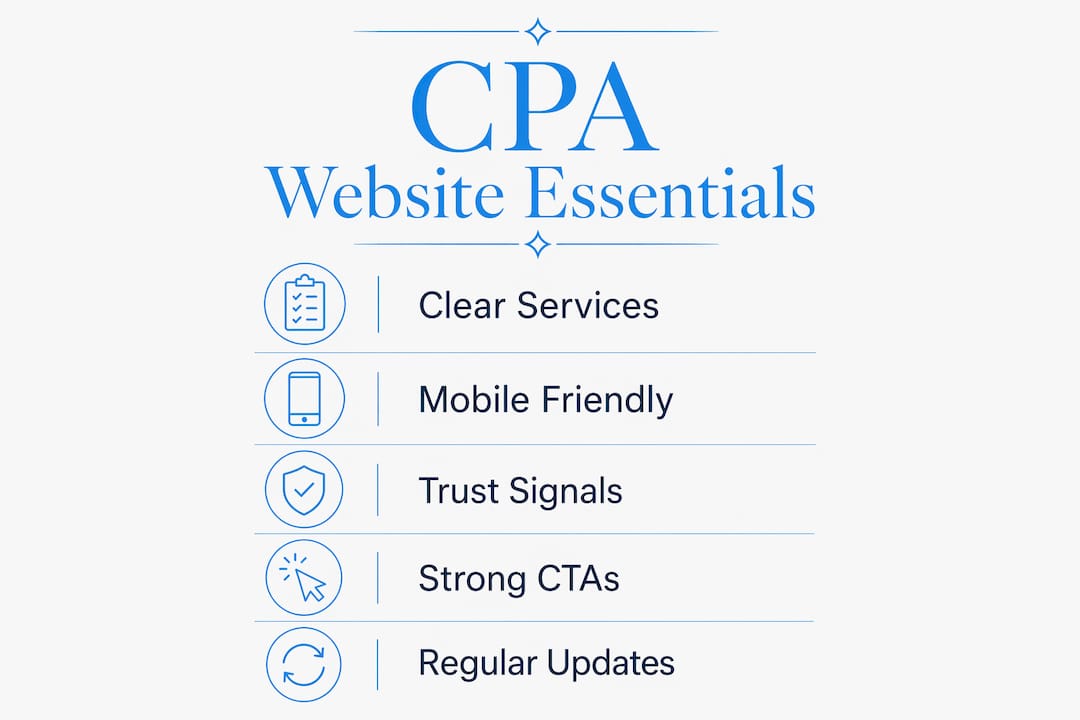
A CPA website is defined as a professional online presence that communicates services, builds trust, and converts visitors into paying clients. Understanding what does a CPA website need means going beyond a simple contact page. The most effective CPA sites combine clear service messaging, mobile-first responsive design, visible trust signals, and targeted calls to action. These are not optional enhancements. They are the baseline requirements for any accounting professional who wants their website to work as a client acquisition tool in 2026. Epdwebsites has built sites for CPAs and financial professionals since 2009, and the patterns that separate high-performing sites from forgettable ones are consistent.
What are the core features every CPA website must include?
A CPA website's foundation rests on four non-negotiable elements: clear service pages, professional branding, accessible contact information, and authentic photography. Miss any one of these, and the site loses credibility before a visitor reads a single word.
Service pages built around client outcomes are the most commonly mishandled element. Most CPAs list what they do. "Tax preparation. Bookkeeping. Payroll." That is a menu, not a value proposition. A strong service page answers the client's real question: "What problem does this CPA solve for someone like me?" Reframing "tax preparation" as "We help small business owners file accurately and avoid IRS penalties" speaks directly to a client's fear and goal.

Professional branding signals competence before a visitor reads a word. Outdated design and generic photography reduce trust and increase bounce rates. That finding reflects a well-documented principle: 94% of first impressions relate to design. A site that looks like it was built in 2012 tells prospective clients the firm may operate the same way.
Contact accessibility is equally critical. Phone numbers, email addresses, and office locations belong in the header and footer of every page. Burying contact details in a single "Contact Us" page adds friction and costs you inquiries.
- Write service pages that name the client's problem, not just the service category
- Use real photos of your team, office, or client interactions instead of stock images
- Display your phone number and email in the site header on every page
- Keep branding consistent: one font family, one color palette, one logo treatment throughout
Pro Tip: Replace every stock photo on your site with a real headshot or office photo. Authentic images consistently outperform generic imagery for building the trust that accounting clients require.
For a deeper look at CPA website design best practices, the 2026 guide from Epdwebsites covers proven site structures used by high-converting accounting firms.
How does mobile-first design impact CPA websites?
Mobile responsiveness is not a design preference. It is a technical requirement that directly affects your search ranking and your ability to retain visitors. Over 50% of web traffic originates from mobile devices as of mid-2026. That means the majority of prospective clients who find your site will view it on a phone, not a desktop.
Google uses mobile-first indexing, which means it evaluates the mobile version of your site to determine search rankings. A site that looks polished on a desktop but breaks on a phone will rank lower and lose clients before they ever read your services page.
Load speed compounds the problem. 53% of mobile users abandon a site that takes longer than 3 seconds to load. For a CPA firm, that abandoned visit is a lost consultation. Slow sites signal poor attention to detail, which is the last impression an accounting professional wants to make.
Practical mobile design for CPA websites requires:
- Touch-friendly buttons sized at least 44x44 pixels so clients can tap without frustration
- Single-column layouts that eliminate horizontal scrolling on small screens
- Compressed images that load fast without sacrificing visual quality
- Click-to-call phone numbers so mobile visitors can reach you in one tap
Pro Tip: Test your site on three different phones before launch. What looks fine on an iPhone 15 may break on an older Android. Real device testing catches issues that desktop previews miss.
Choosing the right infrastructure matters as much as design. Reliable CPA website hosting directly affects load speed, uptime, and security, all of which influence both SEO performance and client trust.
Which trust-building elements increase credibility on a CPA website?
Trust is the single most important conversion factor on a CPA website. Clients are sharing sensitive financial information with you. They need to believe you are competent, secure, and legitimate before they pick up the phone.
Client testimonials with specific results are the most persuasive trust signal available. Generic praise like "Great service!" does nothing. A testimonial that reads "Our firm saved $18,000 in taxes last year after switching to this CPA" gives a prospective client a concrete outcome to expect. Research confirms that 91% of shoppers read online reviews before making a purchase decision. That behavior applies directly to selecting a CPA.
Security features matter just as much. SSL certificates, compliance badges, and visible privacy policies reassure visitors that their data is safe. An SSL certificate is the minimum standard. Displaying AICPA membership badges or state CPA society affiliations adds a layer of professional credibility that generic service firms cannot replicate.
Transparent pricing tiers reduce friction in client inquiries. Requiring a phone call just to learn your rates creates a barrier. Showing even a starting price range tells clients you respect their time and have nothing to hide.
- Feature 3–5 testimonials with named clients (with permission) and specific financial outcomes
- Display your SSL certificate and AICPA or state CPA society membership badge prominently
- Add a visible privacy policy link in the footer of every page
- Include a pricing page or at least a "starting from" range for your core services
A well-crafted professional bio page also builds trust. Clients want to know who they are hiring. A bio that explains your credentials, your experience, and the types of clients you serve converts better than a generic "About Us" paragraph.
What CTAs and engagement features should a CPA website have?
A call to action (CTA) is the instruction that tells a visitor what to do next. Most CPA websites bury their CTAs or use passive language like "Feel free to contact us." That approach fails. Targeted, prominent CTAs placed above the fold increase consultation bookings by 285% compared to generic footer contact forms. That is not a marginal improvement. It is the difference between a site that generates leads and one that generates traffic with no return.
Effective CTAs for CPA websites follow a clear pattern:
- Use action-specific language. "Schedule Your Free Tax Review" outperforms "Contact Us" because it names the action and the benefit in one phrase.
- Place the CTA above the fold on every service page. Visitors should never have to scroll to find out how to hire you.
- Add an online scheduling widget. Tools like Calendly or a built-in booking form let clients book consultations without a phone call, removing the single biggest barrier to first contact.
- Automate follow-up. A simple email sequence triggered by a form submission keeps your firm top of mind for prospects who are not ready to commit immediately.
"The most effective CPA websites treat every page as a landing page. Each page has one goal, one audience, and one clear next step. When a visitor lands on your tax planning page, the only logical action should be booking a tax planning consultation — not hunting through a menu for your phone number."
Passive engagement features also matter. A blog or resource library that answers common tax questions positions your firm as the expert before a client ever reaches out. It also supports SEO by adding indexed content that targets the specific questions your ideal clients are searching for. The website features for tax professionals guide from Epdwebsites outlines which content types drive the most qualified traffic for accounting firms.
Key Takeaways
A CPA website needs clear service messaging, mobile-first design, visible trust signals, and above-the-fold CTAs to convert visitors into clients.
| Point | Details |
|---|---|
| Service pages drive conversions | Write pages around client problems and outcomes, not service category lists. |
| Mobile-first design is mandatory | Over 50% of web traffic is mobile; slow or broken mobile sites lose clients before they read a word. |
| Trust signals close the gap | SSL certificates, AICPA badges, and specific client testimonials reduce hesitation and increase inquiries. |
| CTAs above the fold multiply bookings | Prominent, action-specific CTAs increase consultation bookings by up to 285% versus passive footer forms. |
| Transparent pricing reduces friction | Showing starting price ranges removes a key barrier that causes prospective clients to move on. |
What most CPAs get wrong about their websites
After working with accounting professionals for years, I have noticed one pattern that holds back more CPA websites than any technical flaw: generic positioning. The site says "We offer tax, bookkeeping, and payroll services" and stops there. That describes every CPA firm in the country. It gives a prospective client no reason to choose you over the next result in Google.
Niche positioning is the fastest method to improve CPA website conversions. A firm that says "We specialize in tax strategy for real estate investors in Arizona" immediately speaks to a specific person with a specific problem. That person feels seen. Generic messaging makes everyone feel like no one.
The second mistake is treating the website as a digital brochure rather than a sales tool. A brochure informs. A sales tool converts. Every page should have a purpose, a target client, and a clear next step. Speed and mobile usability are the technical foundations that make all of this possible. A beautifully written site that loads in 6 seconds on a phone is still a failing site. Get the CPA website branding right first, then layer in the technical performance. Both matter, and neither works without the other.
— Kate
How Epdwebsites builds CPA websites that attract clients
CPAs who want a site that actually generates inquiries need more than a template. They need a site built around their specific services, their target clients, and the trust signals that accounting professionals require.

Epdwebsites has designed and hosted professional websites for CPAs, attorneys, and financial professionals since 2009. Every project includes custom branding, mobile-first design, and the performance standards that support both SEO and client trust. The team works quickly, communicates clearly, and delivers sites that represent your firm at the level your clients expect. If you are ready to build a site that works as hard as you do, explore the premium web design services Epdwebsites offers for accounting professionals. Affordable hosting packages are also available for firms that need reliable, secure infrastructure to support their online presence.
FAQ
What does a CPA website need most to convert visitors?
A CPA website needs clear service pages written around client outcomes, visible contact information, and a prominent call to action above the fold on every page. These three elements have the greatest direct impact on consultation bookings.
How important is mobile design for a CPA website?
Mobile design is critical. Over 50% of web traffic comes from mobile devices, and Google ranks sites based on their mobile version. A site that performs poorly on phones loses both search rankings and prospective clients.
What trust signals should a CPA website display?
A CPA website should display an SSL certificate, AICPA or state CPA society membership badges, a visible privacy policy, and client testimonials that include specific financial outcomes rather than generic praise.
How often should a CPA update their website?
A CPA website should be reviewed at least twice per year for outdated service descriptions, broken links, and design elements that no longer reflect the firm's current positioning. Tax law changes and new service offerings are common triggers for updates.
Does transparent pricing on a CPA website help or hurt?
Transparent pricing helps. Showing starting price ranges reduces the friction of requiring a phone call just to learn your rates, and it signals confidence in the value your firm delivers.