
Website uptime is the percentage of time your firm's website is reachable and serving expected content to visitors. For professional service providers, that number carries real stakes. According to Uptrends, uptime is typically reported as a percentage over a set period, and the difference between common tiers is not trivial once you convert them to actual downtime:
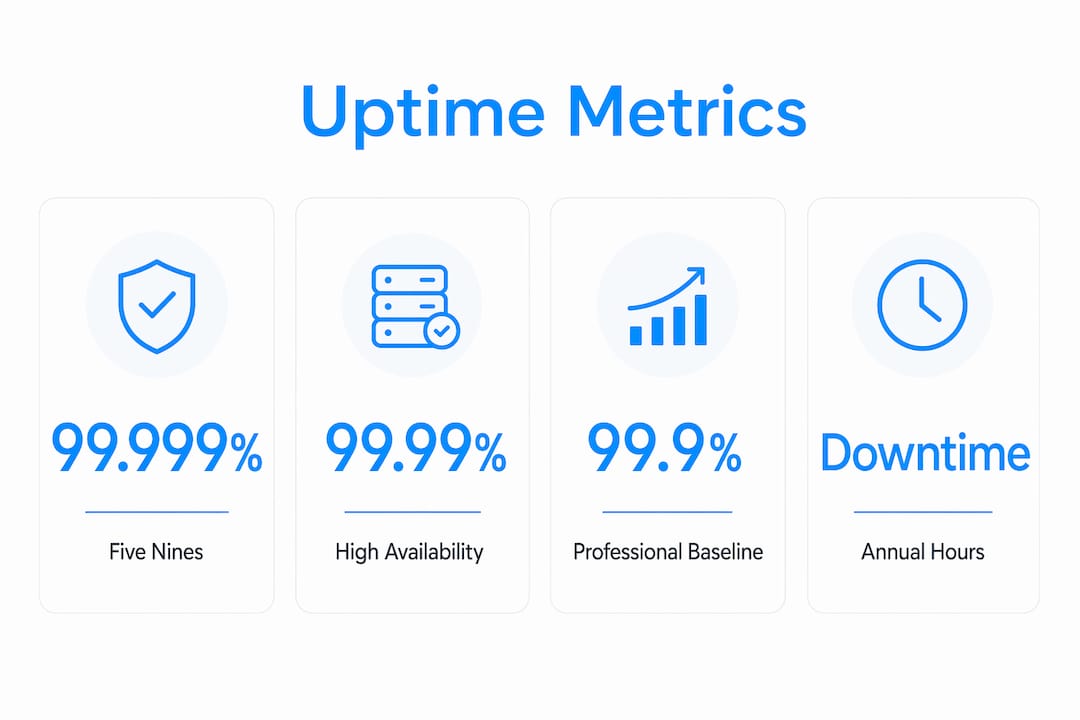
- 99.999% ("five nines"): roughly 5.25 minutes of downtime per year
- 99.99%: roughly 52 minutes per year
- 99.9%: roughly 8 hours and 45 minutes per year
- 99%: roughly 3.65 days per year
Those numbers come from Uptrends and SolarWinds, two widely cited authorities in uptime monitoring and IT operations. Epdwebsites works with professional firms, including attorneys, CPAs, and medical practices, where a site going dark for even a few hours can mean missed client inquiries, damaged credibility, and lost revenue. The sections below explain how to calculate uptime, what each tier means in practice, and what to do about it.
Table of Contents
- How uptime is calculated and what the math actually tells you
- What each uptime percentage means for your firm in plain terms
- Why server "uptime" and actual user experience are not the same thing
- What actually causes downtime and how to reduce it
- How to monitor uptime: the methods that actually catch problems
- How to read an uptime SLA without getting burned
- How professional web partners handle uptime for firm clients
- A prioritized checklist firms can act on today
- Why uptime matters for firms: revenue, reputation, and lead flow
- Key Takeaways
- The uptime priority most firms get backwards
- Managed hosting for professional firms: a practical next step
- Useful sources and further reading
How uptime is calculated and what the math actually tells you
The formula is straightforward: divide the time your site was operational by the total time in the period, then multiply by 100.
(Operational time ÷ Total time) × 100 = Uptime %
Hosting providers typically report this monthly or annually. Some exclude planned maintenance windows from the calculation, which can inflate the reported figure. Uptrends notes this exclusion is common practice, so always ask whether scheduled maintenance counts against your uptime percentage before signing anything.
Here is how common uptime tiers translate roughly into downtime durations, increasing from seconds and minutes at the highest levels to several hours or days as uptime percentage decreases.
Worked example: Your host reports 99.9% uptime for October (31 days = 44,640 minutes). That means your site was down for approximately 44.6 minutes that month. For a law firm running a client intake form, even this brief downtime could mean missed consultations and tangible revenue loss.
Statistic to know: Five nines (99.999%) translates to just 5.25 minutes of downtime per year — a standard most shared hosting plans do not actually meet in practice.
What each uptime percentage means for your firm in plain terms
Not every firm needs the same tier. Here is what each level means in practice, and who can realistically tolerate it.

99.999% (five nines) About five minutes of downtime per year. This is the standard for mission-critical systems: financial platforms, hospital portals, real-time transaction systems. For most professional-service websites, this tier is expensive to maintain and rarely necessary unless you are running 24/7 client portals with real-time data.
99.99% About an hour of downtime per year. A solid target for firms with active client portals, appointment booking, or e-signature workflows where clients expect constant access. Attorneys handling time-sensitive filings and CPAs with client document portals fall into this category.
99.9% About several hours per year. This is the realistic baseline for most professionally hosted websites. HostingGuider describes 99.9% as the standard most reputable providers target, and it is generally acceptable for a brochure-style site with a contact form. The risk is that those hours may cluster during business hours.
99% About several days per year. For a professional firm, this is a problem. Multiple days offline annually means visible gaps in availability that prospects and clients will notice. A visitor who hits an error page twice rarely comes back.
90% About more than a month per year. No professional firm should accept this. A site down for more than a month annually is not a website; it is a liability.
-
Local brochure sites with no client-facing tools: 99.9% is usually sufficient
-
Client portals, appointment booking, online payment: 99.99% or better
-
Medical practices with patient intake forms: 99.99% minimum
-
Tax professionals during filing season: any downtime during peak weeks is unacceptable, regardless of the annual average
Why server "uptime" and actual user experience are not the same thing
A server can report "up" while your clients experience a completely broken site. This distinction matters more than most firm owners realize.
Catchpoint draws a clear line between three concepts: server uptime (the machine is running), availability (the service is responding), and digital experience (the user can actually complete a task). All three can diverge simultaneously.
Common scenarios where the server is technically up but users are blocked:
- A CDN outage serves cached or blank pages even though your origin server is healthy
- A payment gateway goes down, making checkout or invoice payment impossible
- An expired SSL certificate triggers browser security warnings that stop visitors cold
- An application error returns a 200 OK status code but renders a blank or broken page
For accounting firms using digital engagement letters or e-signature workflows, a third-party API failure can make the entire client-facing process unusable even when your host reports 100% uptime that day.
The practical fix is to monitor end-to-end transactions, not just server pings. Uptrends and Catchpoint both offer synthetic monitoring that scripts a real user journey, such as loading the contact page, submitting a form, and confirming a response, and alerts you when any step fails. That is a fundamentally different signal than knowing the server is running.
What actually causes downtime and how to reduce it
Most outages trace back to a short list of root causes. Knowing them makes it easier to ask the right questions of your hosting provider.
Common causes:
- Hardware failures at the data center level
- Software bugs or failed application deployments
- DNS misconfiguration or expired domain registration
- SSL certificate expiry (browsers block access entirely)
- CDN or third-party service outages
- DDoS attacks overwhelming server capacity
- Scheduled maintenance with no client notification
- Human error during updates or migrations
Practical mitigations to request or implement:
- Multi-region or redundant hosting so a single data center failure does not take you offline
- Automated failover that reroutes traffic without manual intervention
- Low DNS TTL values so DNS changes propagate quickly during an incident
- Automated SSL certificate monitoring with renewal alerts well before expiry
- Staged deployments that test changes before pushing them live
- Rate-limiting and DDoS protection at the network edge
- Regular, tested backups with a documented recovery time objective (RTO)
Pro Tip: After any outage, write a one-page post-incident runbook: what happened, when it was detected, how long it lasted, what fixed it, and what will prevent recurrence. Clients who receive a clear, factual incident summary trust you more than clients who hear nothing. It also forces your team to close the loop rather than move on.
How to monitor uptime: the methods that actually catch problems
Waiting for a client to call and say your site is down is the worst possible monitoring strategy. Automated monitoring is inexpensive, quick to set up, and catches outages in minutes rather than hours.

There are four main monitoring approaches, and they catch different failure types:
| Monitoring type | What it catches | Typical check interval | Best use case |
|---|---|---|---|
| Synthetic (transaction) | Broken user flows, form failures, third-party errors | 1–5 minutes | Client portals, booking pages, payment flows |
| Real user monitoring (RUM) | Actual visitor experience, performance degradation | Continuous (passive) | High-traffic marketing pages |
| API / endpoint checks | Backend service failures, broken integrations | 1–5 minutes | CRM integrations, e-signature APIs |
| External multi-location probes | DNS failures, regional outages, SSL errors | 1–5 minutes | All critical pages |
Operational recommendations:
- Use at least one external monitoring provider independent of your host. A host's internal status page only reports what the host can see from inside its own network.
- Configure alerts to reach you by phone or SMS, not just email. Email can sit unread for hours.
- Set up a simple public status page so clients can check your site's status themselves during an incident, rather than calling your office.
- Uptrends offers external multi-location monitoring with configurable alert channels. For firms that want a lighter-weight starting point, tools like UptimeObserver provide basic external checks.
How to read an uptime SLA without getting burned
Hosting providers market uptime guarantees prominently, but the fine print often tells a different story. NameSilo's analysis of hosting SLAs found that most guarantees pay future service credits rather than compensating actual business loss. A credit worth $10 of hosting does not cover a morning of missed client calls.
SLA checklist — what to verify before signing:
- Measurement window: Is uptime calculated monthly or annually? Monthly calculations reset the clock and can obscure a pattern of recurring short outages.
- Who measures: Does the provider measure its own uptime, or is there an independent third-party verification? Provider-measured uptime is inherently self-reported.
- Maintenance exclusions: Are scheduled maintenance windows excluded from the downtime calculation? If yes, a provider can take your site down for hours of "maintenance" without it counting against the SLA.
- Remedy type: Credits or cash? Credits are almost always the only remedy offered, and they are capped at a fraction of your monthly fee.
- Claim process: How long do you have to file a claim after an outage? Some SLAs require you to file within 24–72 hours with documented proof.
- Proof burden: Who must prove the outage occurred? Without independent monitoring logs, you may have no evidence to support a claim.
Red flags to walk away from: SLAs that define "downtime" as only complete unavailability (not degraded performance), vague measurement definitions, and credit caps below one month's fee for extended outages.
The practical protection is independent monitoring. Uptrends and similar external tools generate timestamped logs you can use to substantiate a claim if a provider disputes your outage report.
How professional web partners handle uptime for firm clients
Agencies and managed hosting partners that serve professional firms treat uptime as an operational commitment, not a marketing claim. Standard practices among reputable partners include:
- Onboarding environment checks: DNS health review, SSL validation, backup configuration, and baseline performance testing before a site goes live
- Multi-layer monitoring: External probes plus application-level checks, not just server pings
- Scheduled maintenance windows: Communicated to clients in advance, timed for low-traffic periods, and excluded from client-facing impact metrics
- Incident escalation paths: A defined chain of contact so the right person is reached within minutes of an alert, not hours
- Post-incident runbooks: Written summaries shared with clients after any significant outage
Onboarding checklist for firms evaluating a new host or agency:
- Confirm DNS TTL settings and registrar contact details are accessible
- Verify SSL certificate is valid and auto-renewal is configured
- Confirm backup frequency, retention period, and tested restore process
- Ask for monitoring probe locations and alert configuration
- Get RTO and RPO commitments in writing
Consider two scenarios that illustrate the gap between managed and unmanaged hosting. In the first, a managed hosting partner detects a server resource spike at 2 AM via automated monitoring, scales capacity before the site degrades, and the firm's clients never notice. In the second, a firm on shared hosting has no external monitoring. A CDN misconfiguration takes the site down at 9 AM on a Monday. The firm learns about it at 11 AM when a client calls. Two hours of missed intake traffic, no log to file an SLA claim, and no explanation to offer clients. The lesson is not that managed hosting is always necessary. It is that the absence of monitoring guarantees the second scenario.
For attorneys, the hosting reliability guide for lawyers from Epdwebsites covers firm-specific considerations in more detail.
A prioritized checklist firms can act on today
Getting uptime under control does not require a large budget. Most of the highest-value steps cost very little.
Immediate actions (this week):
- Set up external uptime monitoring with 1–5 minute checks on your homepage, contact page, and any client-facing portal. Free and low-cost tools exist; the key is that monitoring must be external to your host.
- Enable SSL certificate expiry alerts at least 30 days before renewal. A lapsed certificate blocks visitors with a browser security warning.
- Publish a simple status or contact page clients can reach even if your main site is down.
- Confirm your backup is current and that you have tested a restore at least once.
Questions to ask your hosting provider:
- How do you measure uptime, and does scheduled maintenance count against it?
- What exclusions apply to your SLA?
- Do you offer multi-region redundancy or automated failover?
- How and when do you notify customers during an incident?
- What is your documented RTO for a full site restore?
Client communication after an outage:
- Notify clients within the first hour if the outage affects client-facing tools
- State the impact clearly: what was affected, for how long, and what data (if any) was at risk
- Explain the fix and the step taken to prevent recurrence
- Keep the message factual and brief; avoid over-apologizing or speculating about causes
For CPAs and tax professionals, year-round website availability is especially critical because client inquiries do not pause between filing seasons.
Why uptime matters for firms: revenue, reputation, and lead flow
A professional firm's website is often the first and only impression a prospect gets before deciding whether to call. UptimeObserver frames uptime as a core brand credibility metric: repeated outages signal to prospects that the firm itself may be unreliable. That perception is hard to reverse.
The revenue impact is direct. Every hour a contact form is unreachable is an hour of missed inquiries. For e-commerce-adjacent firms, such as those accepting online retainers or payments, downtime converts directly to lost revenue. The SEO consequences compound the problem: Google reduces crawl frequency after repeated errors, and rankings can take one to three weeks to stabilize after recovery. A firm that goes down twice in a quarter may spend the following month rebuilding search visibility it had already earned.
Client trust is the slower-burning risk. A client who tries to access their portal and hits an error page once may forgive it. Twice, and they start wondering whether the firm's internal operations are as disorganized as its website. For attorneys and CPAs, where the entire value proposition rests on reliability and attention to detail, that association is damaging. Website design that builds trust starts with a site that is simply there when clients need it.
Key Takeaways
High website uptime is a measurable business asset for professional firms: a site at 99.9% uptime loses roughly 8.75 hours per year, while 99% costs 3.65 days of availability and visible credibility damage.
| Point | Details |
|---|---|
| Uptime formula | Divide operational time by total time, multiply by 100; providers may exclude maintenance windows. |
| Percentage tiers | 99.9% allows ~8.75 hours/year offline; 99% allows ~3.65 days — unacceptable for most professional firms. |
| SLA credits vs. real loss | Hosting credits rarely cover actual business loss; independent monitoring logs are your best protection. |
| Monitor end-to-end | Server pings miss CDN, SSL, and third-party failures; synthetic and API checks catch what pings cannot. |
| Epdwebsites approach | Epdwebsites provides managed hosting and monitoring for professional firms, with proactive support since 2009. |
The uptime priority most firms get backwards
There is a tendency among professional firms to treat uptime as a hosting vendor problem. Sign the SLA, trust the guarantee, and move on. That logic has a flaw: the guarantee pays you back in credits after the damage is done, and only if you can prove the outage occurred.
The firms that handle this well flip the priority order. They invest first in independent monitoring, so they know about problems before clients do. They invest second in clear incident communication, so clients hear from the firm rather than discovering the issue themselves. The SLA becomes a last resort, not the primary protection.
Five nines is a marketing number for most shared and managed hosting environments. The realistic target for a professional-service firm is 99.9% or better, verified by external monitoring, with a written incident response plan that the team has actually rehearsed. That combination protects revenue, reputation, and client relationships far more reliably than any SLA credit clause.
Managed hosting for professional firms: a practical next step
Professional firms that have outgrown shared hosting or want to stop managing uptime themselves have a clear alternative. Epdwebsites has delivered premium web design and hosting for attorneys, CPAs, real estate agents, and medical practices since 2009, with a focus on reliability, proactive monitoring, and the kind of personalized support that means a real person responds when something goes wrong.

The case for managed hosting is straightforward when a firm's internal team lacks the capacity to monitor, respond to, and document incidents. Epdwebsites handles SLA supervision, proactive monitoring, and client-facing status communication so firm owners can focus on their practice rather than their server logs. For firms ready to evaluate hosting plans and pricing, the hosting and features page is the right starting point. Reach out directly to discuss what your firm's site requires and get a clear picture of what managed support actually covers.
Useful sources and further reading
- What is website uptime? | Uptrends — definitions, downtime equivalents, and monitoring guidance
- Website uptime monitoring defined | Catchpoint — uptime vs. availability vs. digital experience
- The Truth About Web Hosting Uptime Guarantees | NameSilo Blog — SLA fine print and credit remedies explained
- Why Your Website Needs Uptime Monitoring | WMSS — practical monitoring setup guidance
- Why Is Uptime Monitoring Important? | Notifier.so — SEO and revenue impact of downtime
- The Importance of Website Uptime for Business Success | UptimeObserver — brand credibility framing
- The Importance of Website Uptime | HostingGuider — accessible overview with business context
- CPA Website Hosting Selection Guide | Epdwebsites — hosting checklist for accounting firms
- Attorney Website Hosting Reliability Guide | Epdwebsites — firm-specific hosting reliability guidance